
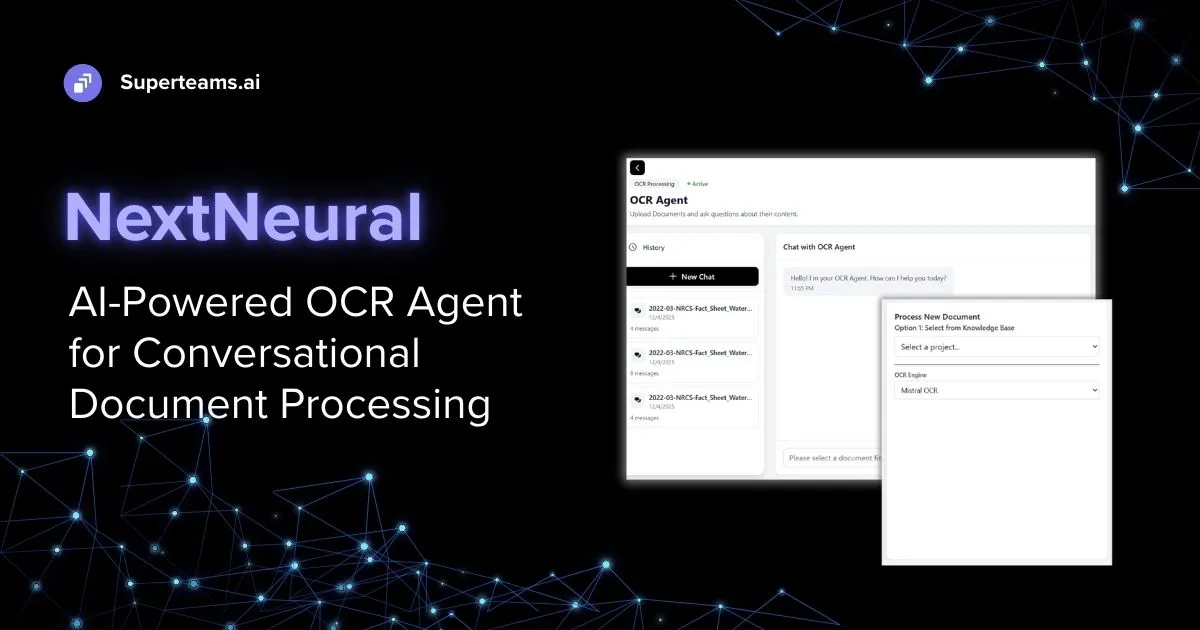
If you’re one of those businesses managing thousands of documents every day, then this blog is for you.
Every day, organizations are handling a range of documents: contracts, invoices, compliance reports, SOPs, financial statements. Yet despite decades of tooling, extracting useful, structured intelligence from these files remains stubbornly complex. Traditional OCR systems can read text, but they stop there. They don’t understand context, can’t answer questions, and break easily when document formats change.
The cost of this limitation is enormous. Industry reports estimate that businesses spend over $8 billion annually on manual document processing, with employees spending nearly 40% of their time simply searching for information inside documents**.**
This is where AI-powered OCR agents change the game.
Our Document OCR Agent combines optical character recognition with large language models to not just extract text, but to understand and interact with your documents intelligently. You can upload a PDF and ask natural language questions like “What were the Q3 revenue figures?” or “What should be my quarterly projections?” based on document content; no manual parsing required.
In this guide, we’ll walk you through setting up and using the Document OCR Agent API in NextNeural to process documents and query them conversationally.
What You’ll Need
Before getting started, gather these API keys:
- OpenAI API Key - Powers natural language understanding
- Mistral AI API Key - Provides additional AI capabilities
- NextNeural Account - Your platform for orchestrating the OCR agent
Setting Up Your NextNeural Account
First, head to NextNeural and create an account. Approval typically takes 18-24 hours.

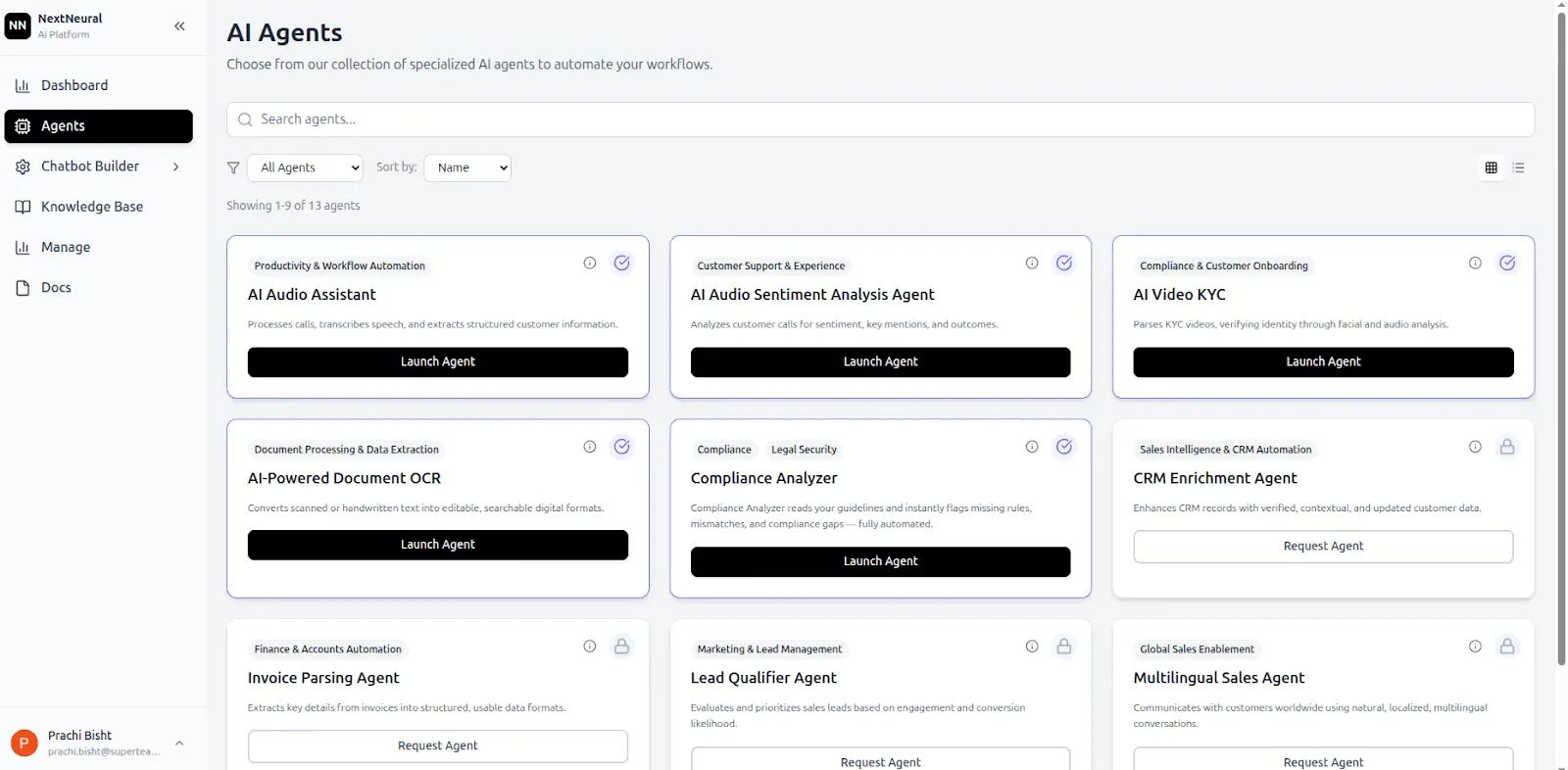
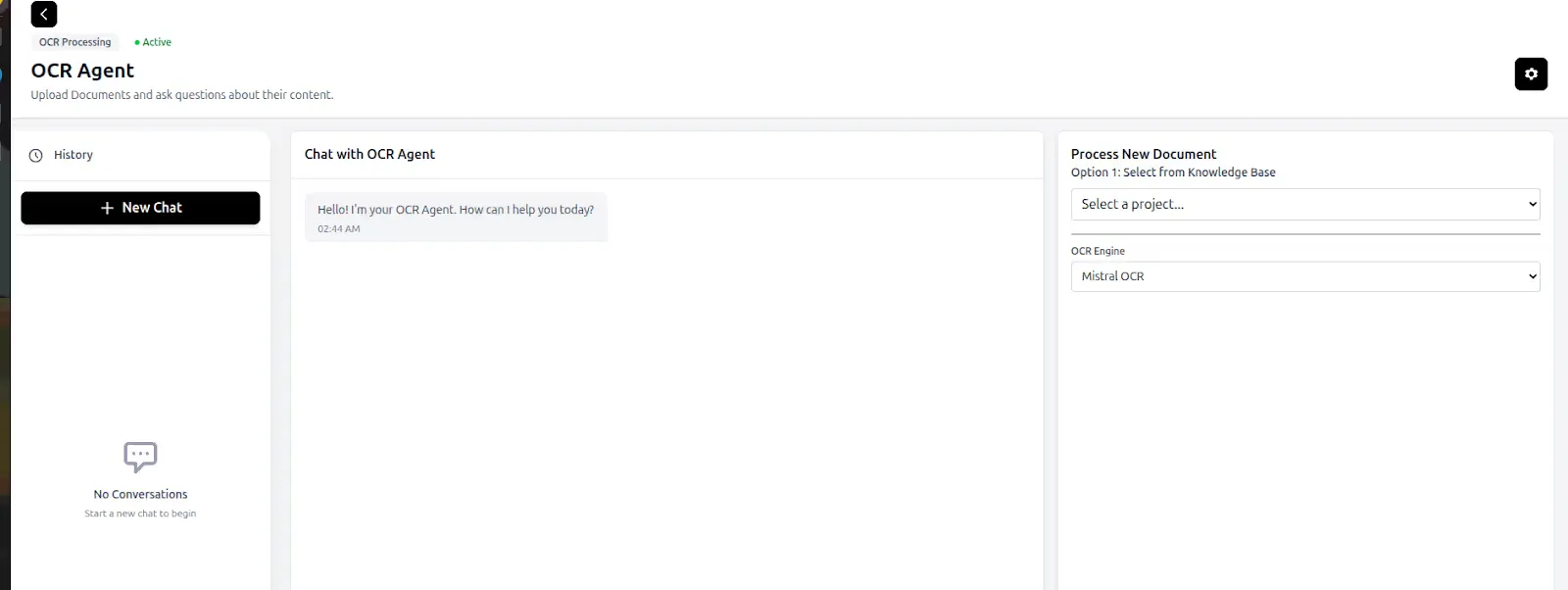
Once you’re in, you’ll see a dashboard with multiple AI agents to choose from.
For document processing, navigate to the AI Powered Document OCR option and click Launch Agent. This gives you access to a powerful OCR system that can process PDFs, images, and other document formats.
Configuring Your API Keys
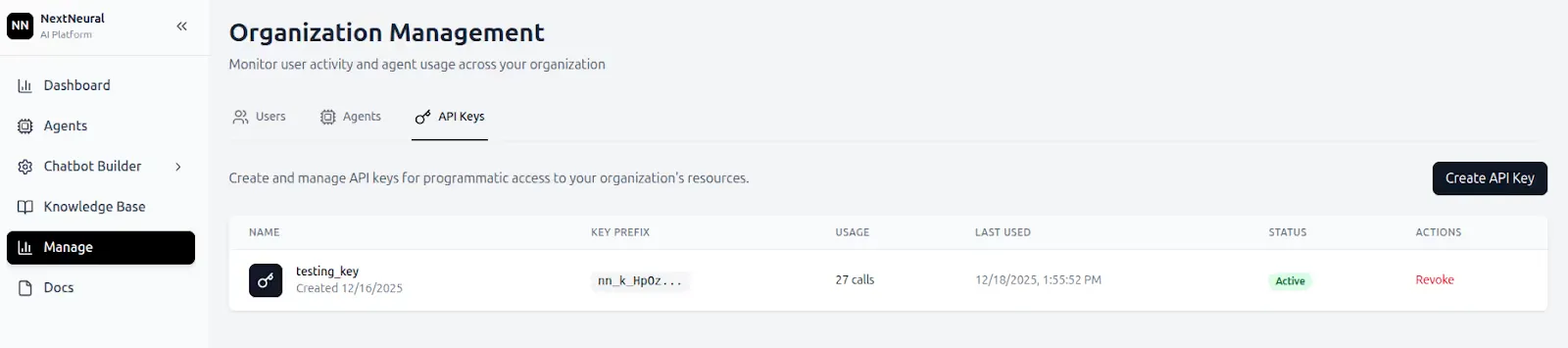
To use these agents, you need to generate an API Key.
Next, generate your NextNeural API key by going to Manage → API Keys → Create API Key. Give it a descriptive name and save it securely—you’ll need it for all API calls.
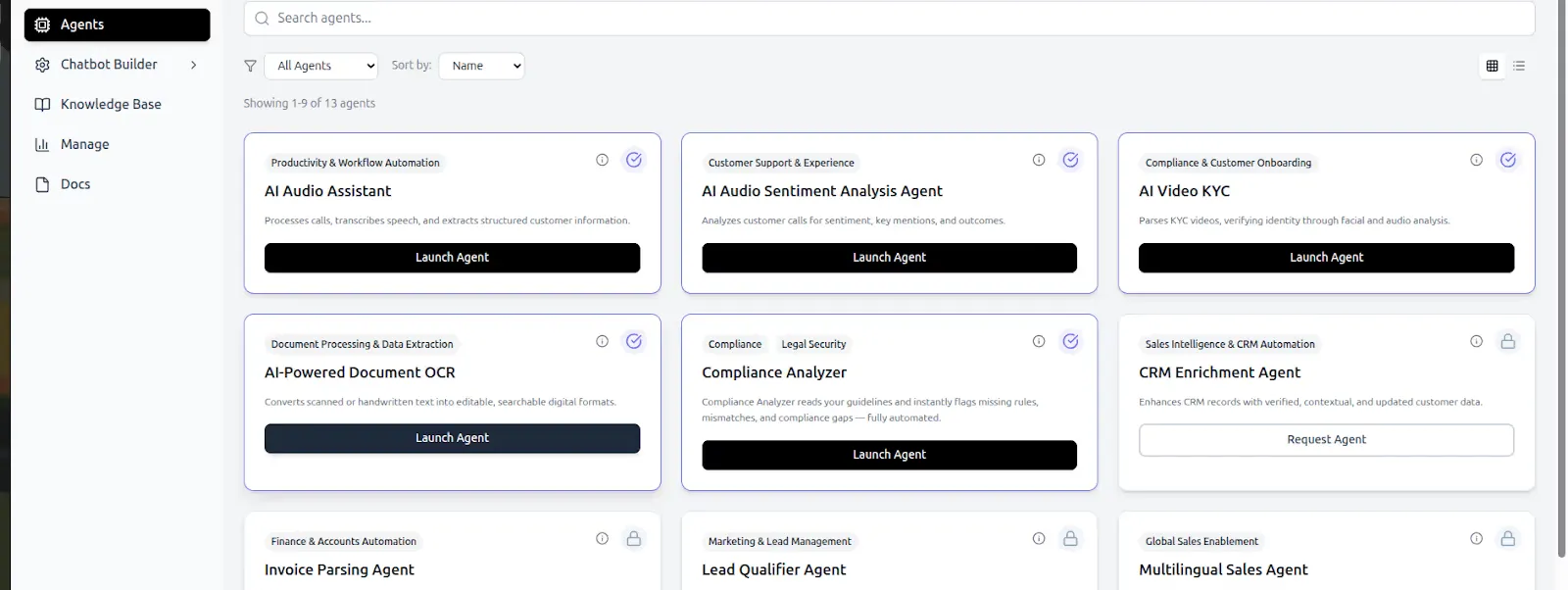
Move to Agents, then select AI Powered Document OCR by clicking Launch Agent.
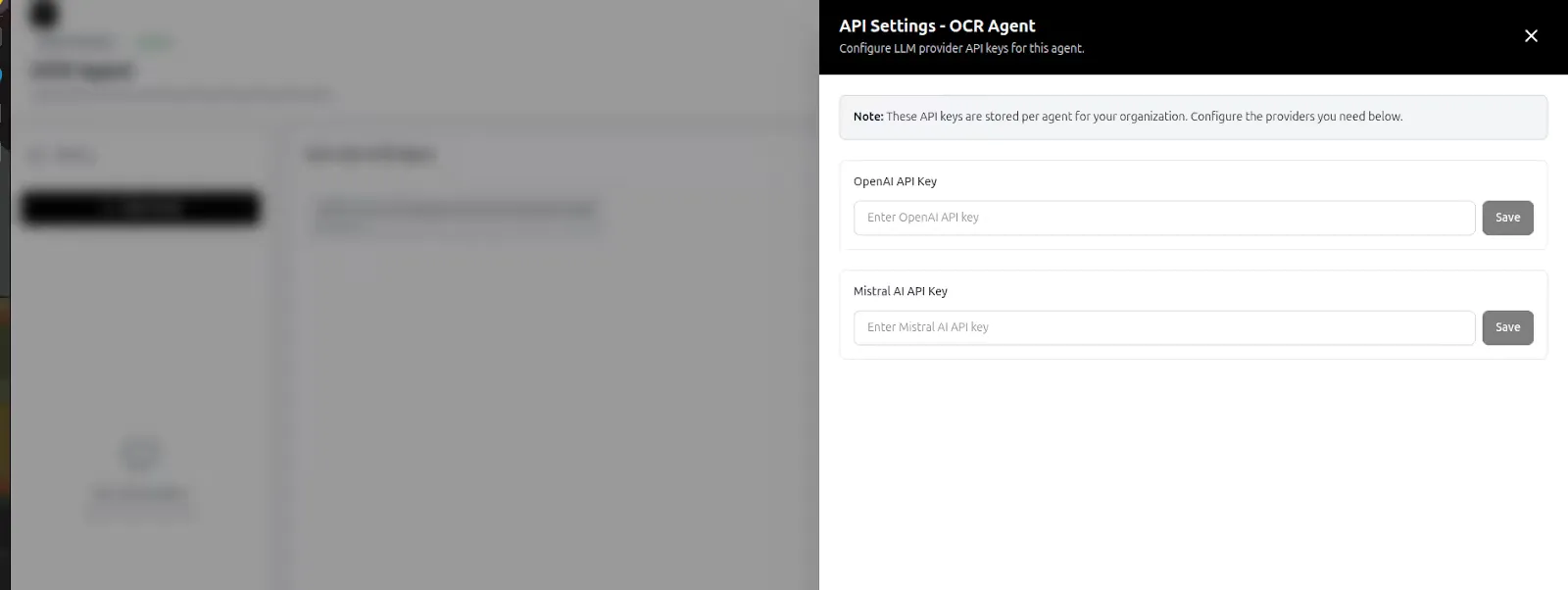
Once inside the agent interface, click on Settings. Here you can add your OpenAI and Mistral API keys. These credentials allow the agent to leverage state-of-the-art language models for understanding document content.
Working with the API
With your keys configured, you can now interact with the OCR agent entirely through API calls. Let’s walk through the workflow step-by-step.
Checking Agent Health
Before processing documents, verify that the agent is running:
curl -i https://nextneural-admin.superteams.ai/api/agents/ocr_agent/health

A healthy response confirms the agent is ready to receive requests.
Managing Projects
Documents are organized into projects within the knowledge base. Think of projects as folders that group related documents together. To see your existing projects:
curl -L "https://nextneural-admin.superteams.ai/_api/knowledgebase/projects" \
-H "Authorization: Bearer <API-KEY>" \
  -H "Content-Type: application/json"
This returns a JSON array of your projects with their IDs, names, and document counts.
curl -L "https://nextneural-admin.superteams.ai/_api/knowledgebase/projects" \
-H "Authorization: Bearer <API-KEY>" \
  -H "Content-Type: application/json"
To create a new project in the knowledge base:
curl 'https://nextneural-admin.superteams.ai/_api/knowledgebase/projects/' \
  -H 'accept: application/json' \
  -H 'authorization: Bearer <API-KEY>' \
  -H 'content-type: application/json' \
 --data-raw '{"name":"project1","description":"project for OCR Agent"}'
The response should look like this:
{"id":80,"name":"project1","description":"project for OCR Agent","created_at":"2025-12-17T09:03:45.969195Z","document_count":0}%
We will use this PDF for our project.
Uploading and Processing Documents
Now comes the interesting part—uploading a document and making it queryable. For this example, we’ll use a PDF-Master Directions for RBI. Upload it to your project using the project ID from the previous step.
curl --location 'https://nextneural-admin.superteams.ai/_api/knowledgebase/documents/upload/80/' \
  -H 'Accept: application/json' \
  -H 'Accept-Language: en-US,en;q=0.5' \
  -H 'Authorization: Bearer <API-KEY>' \
  -F 'file=@/home/circular_ocr.pdf’'

After uploading, trigger the OCR processing:
$ curl -X POST "https://nextneural-admin.superteams.ai/api/agents/ocr_agent/process_pdf?force_reparse=false" \
  -H "Authorization: Bearer <API-KEY>" \
  -H "Content-Type: application/json" \
  -d '{
    "file_name": "https://prod-nextneural.s3.amazonaws.com/media/knowledgebase_documents/circular_ocr.pdf", # complete file name
    "document_id": 150
  }'
The agent will extract text, analyze structure, and prepare the document for natural language queries. The force_reparse parameter lets you reprocess documents if needed.

Asking Questions
Once processed, you can ask questions about your document in plain English: “What is IBPC ?”
curl -X POST "https://nextneural-admin.superteams.ai/api/agents/ocr_agent/ask_ocr" \
  -H "Authorization: Bearer <API-KEY>" \
  -H "Content-Type: applicati on/json" \
  -d '{
    "question":"What is IBPC ?",
    "document_id": 150
  }'

Another question is “Explain PSL Credit”
curl -X POST "https://nextneural-admin.superteams.ai/api/agents/ocr_agent/ask_ocr" \
  -H "Authorization: Bearer <API-KEY>" \
  -H "Content-Type: applicati on/json" \
  -d '{
    "question":"Explain PSL credit”,
    "document_id": 150
  }'

Based on the screenshot, the agent responds: “IBPC stands for Inter Bank Participation Certificates. They are financial instruments bought by banks on a risk-sharing basis, which can be classified under respective priority sector categories if the underlying assets meet eligibility criteria and the banks adhere to the Reserve Bank of India guidelines on IBPCs.” and “Priority Sector Lending (PSL) refers to the lending framework established by the Reserve Bank of India (RBI) to ensure that banks allocate a certain portion of their credit to specific sectors that are deemed important for the economic development of the country. This includes sectors like agriculture, micro, small and medium enterprises, education, housing, and social infrastructure. Adjustments in PSL achievement are made based on the per capita credit flow in various districts, with higher weights assigned to districts with lower credit flow and lower weights to those with higher credit flow, to address regional disparities.”
The agent doesn’t just extract text—it understands context and provides informed answers based on document content.
What This Enables
This approach opens up powerful possibilities beyond simple text extraction. You can build systems that automatically extract key metrics from financial reports, answer compliance questions from legal documents, or create conversational interfaces for technical manuals. The combination of OCR and language models means documents become queryable knowledge bases rather than static files.
Unlike traditional OCR pipelines that require extensive preprocessing and rule-based extraction logic, this agent-based approach handles diverse document formats and questions without custom code for each use case. Upload a contract and ask “What are the termination clauses?” Upload an invoice and ask “What’s the total amount due?” The system adapts.
Data Sovereignty and Security Considerations
When working with sensitive documents, whether they’re legal contracts, financial records, or proprietary research, data sovereignty matters. The NextNeural platform is designed with enterprise requirements in mind, giving you control over where your documents are stored and processed.
Your documents remain within your knowledge base projects, secured by API key authentication. The platform doesn’t train models on your proprietary data, and you maintain full control over the document lifecycle, from upload to deletion.
This becomes especially important when building customer-facing applications. You can process user documents without sending sensitive information to multiple third-party services, as the OCR agent orchestrates the workflow while respecting your security boundaries.
Next Steps
From here, you can integrate the OCR agent into larger workflows: processing documents uploaded by users, building RAG systems that combine multiple document sources, or creating automated document analysis pipelines. The API-first design makes it straightforward to incorporate into existing applications.
As you scale, consider organizing documents into projects by type or department, implementing caching strategies for frequently queried documents, and fine-tuning which AI models to use based on your accuracy and latency requirements.
The shift from “OCR as text extraction” to “OCR as document intelligence” represents a fundamental change in how we interact with information. With tools like NextNeural’s Document OCR Agent, building these intelligent systems becomes accessible through simple API calls rather than months of custom development.
Head over to NextNeural and sign up for early access. Join the community, experiment with the API, and see how conversational document processing can transform your workflows.
-Feature-Image.CjBFdO7y_Z1bTNvg.webp)