
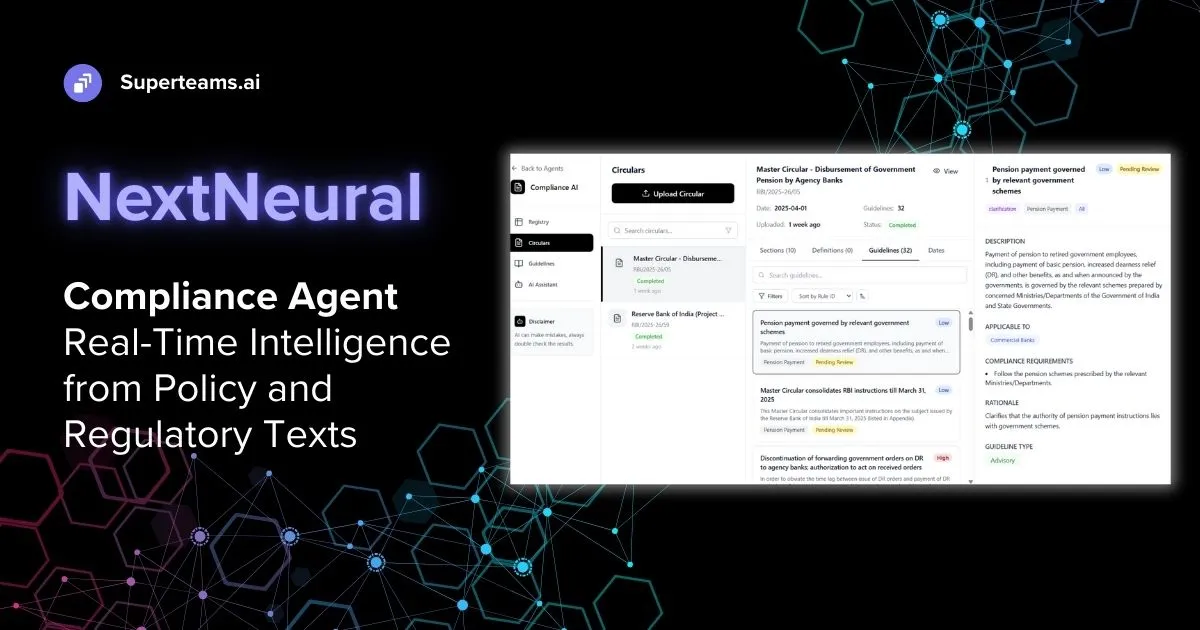
India’s Reserve Bank has issued numerous overlapping circulars, amendments, and clarifications over the decades. In a recent drive, the RBI consolidated more than 9,000 circulars into 244 master directions, while also reorganising around 3,000 regulations into 33 thematic categories to improve clarity and reduce compliance burden.
For banks and NBFCs, this underscores a hard reality: regulatory knowledge is not static, structured, or neatly versioned, and manual compliance tracking simply cannot keep pace.
With NextNeural, we’ve built a compliance assistant that transforms how organizations interact with regulatory documents. Upload a circular, let the AI process it, and query the extracted guidelines conversationally. But here’s where it gets interesting: when you ask the AI agent a question, the response doesn’t arrive as a single JSON payload. Instead, it streams back in real-time chunks, appearing progressively—just like ChatGPT’s familiar typing effect.
This article explains why we built it this way, what happens under the hood, and how to consume streaming API responses properly.
UI Walkthrough: Using the NextNeural Compliance Assistant
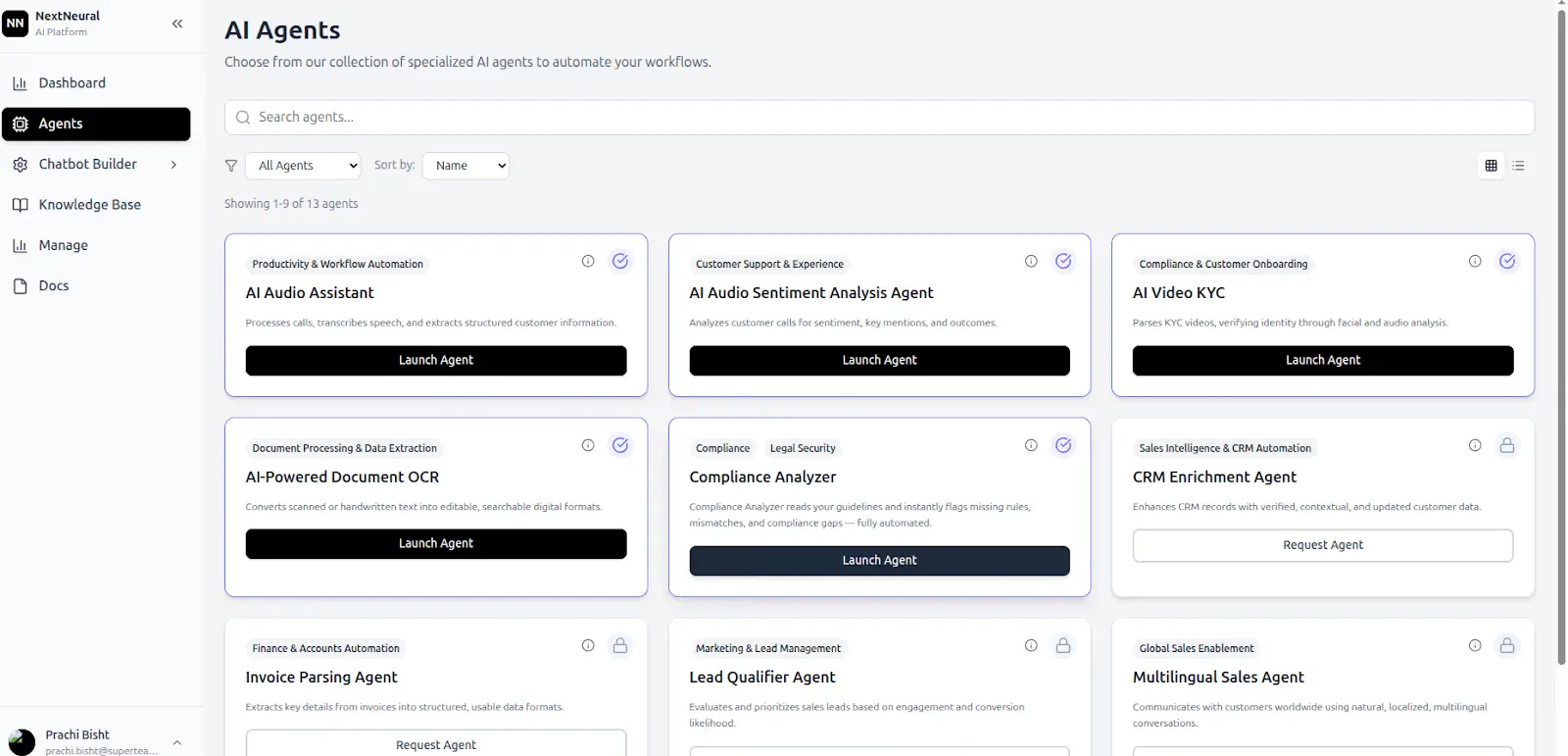
Step 1: Launch the Compliance Agent
From the NextNeural dashboard, launch the Compliance Assistant agent. This starts the compliance workflow and makes the ingestion, guideline, and AI Assistant modules available.
Step 2: Upload Regulatory Documents
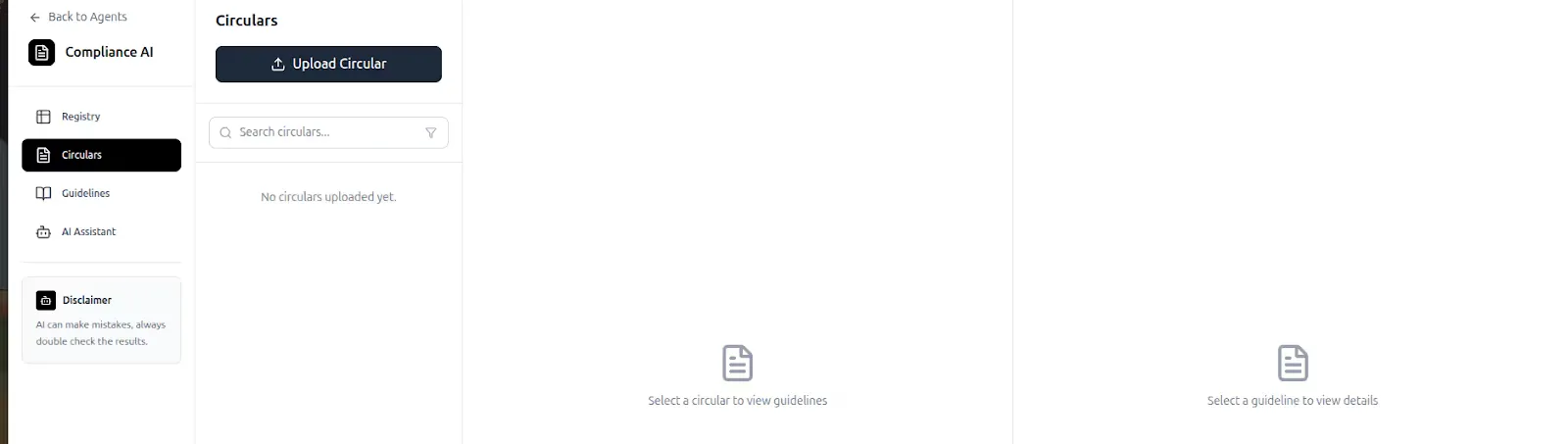
You can upload regulatory documents in two ways:
- Using a URL (for example, directly from RBI’s document repository)
- Uploading a downloaded PDF from your system
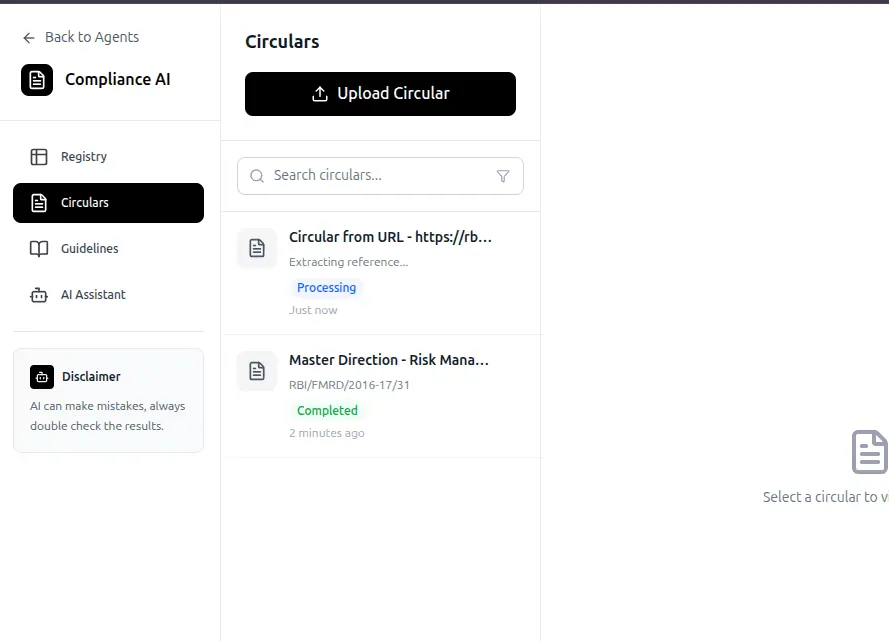
Once uploaded, documents appear under the “Circulars” section.
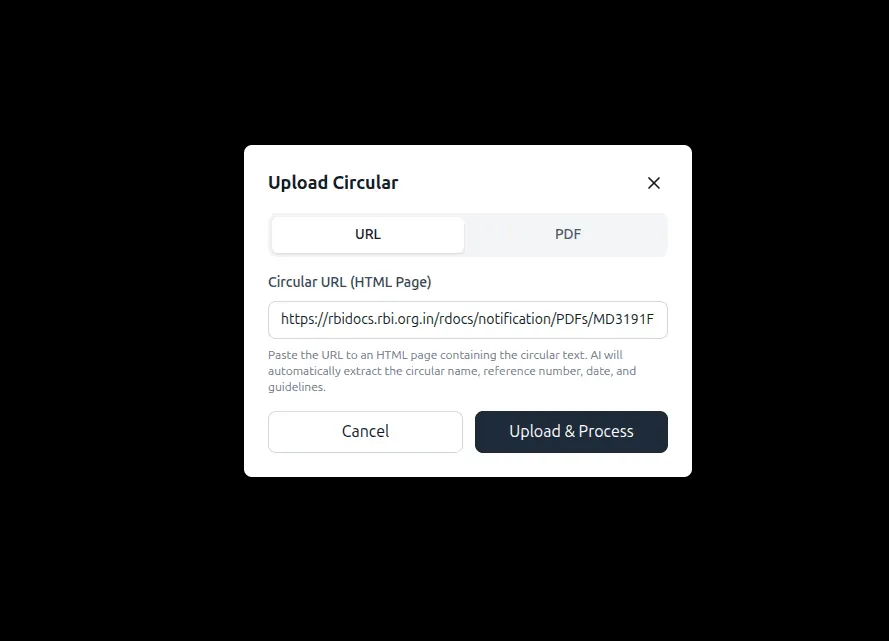
Step 3: View Uploaded Circulars
All uploaded documents are listed in the Circulars view, providing visibility into:
-
document source
-
upload status
-
processing state
This acts as the central registry for all regulatory inputs.
Step 4: Explore Extracted Guidelines
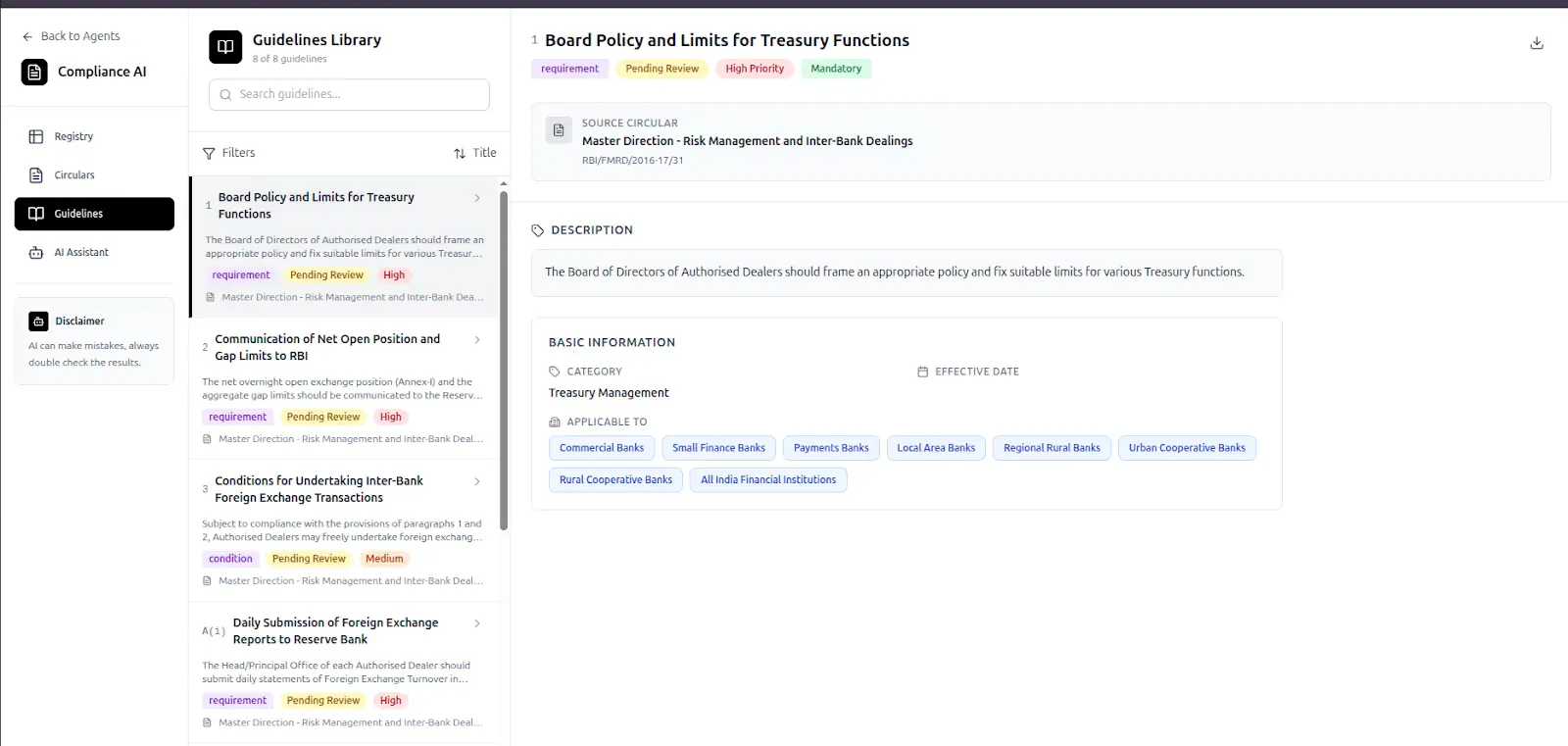
Click on Guidelines to view the structured outputs generated from each circular.
Here, guidelines can be:
- filtered by title
- prioritised by importance
- sorted by effective date
This replaces raw PDF scanning with a structured compliance layer.
Step 5: Query Using the AI Assistant
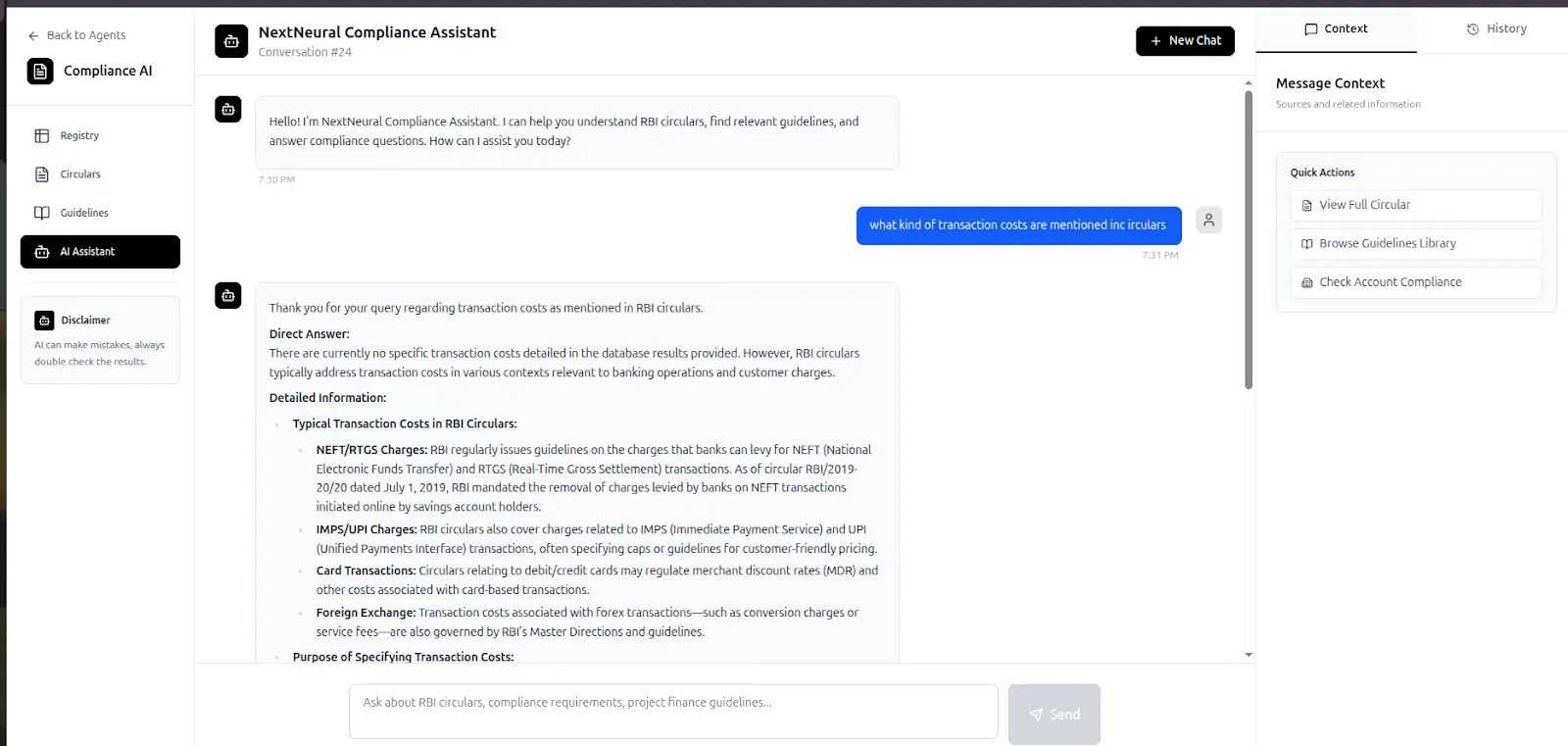
Click on the AI Assistant to ask questions directly about the uploaded documents.
Examples:
- What does this circular discuss?
- What compliance obligations apply to banks?
- Which inter-bank transactions are covered?
Responses are grounded entirely in the uploaded circulars. We will use two circulars. You can download it at:
Doing the Same via API
The same workflow—launching, uploading, processing, querying—can be executed programmatically using API endpoints.
Key API Endpoints
- Check agent health
curl -i https://nextneural-admin.superteams.ai/api/agents/compliance_agent/health

- Upload circulars via URL or file upload:
curl -X POST "https://nextneural-admin.superteams.ai/api/agents/compliance_agent/upload_circular" \
-H "Authorization: Bearer <API-KEY>" \
-H "Content-Type: application/json" \
-d '{
"pdf_url": "https://rbidocs.rbi.org.in/rdocs/PressRelease/PDFs/PR1666EDE71A851B8F41629BF1F0BC0181BFD8.PDF",
"source_type":"url"
}'
- Upload a circular from your system
curl -X POST "https://nextneural-admin.superteams.ai/api/agents/compliance_agent/upload_circular_file" \
-H "Authorization: Bearer <API-KEY>" \
-F "file=@/homet/Downloads/rbi_circluar.pdf" # file-path

- Fetch Uploaded Documents
curl -X POST "https://nextneural-admin.superteams.ai/api/agents/compliance_agent/upload_circular_file" \
-H "Authorization: Bearer <API-KEY>" \
-F "file=@/homet/Downloads/rbi_circluar.pdf" # file-path

- Process the circular to extract structured guidelines:
curl -X POST "https://nextneural-admin.superteams.ai/api/agents/compliance_agent/circular/13/process" \
-H "Authorization: Bearer <API-KEY" \
-H "Content-Type: application/json" \
> -d '{"force_reprocess": true}'
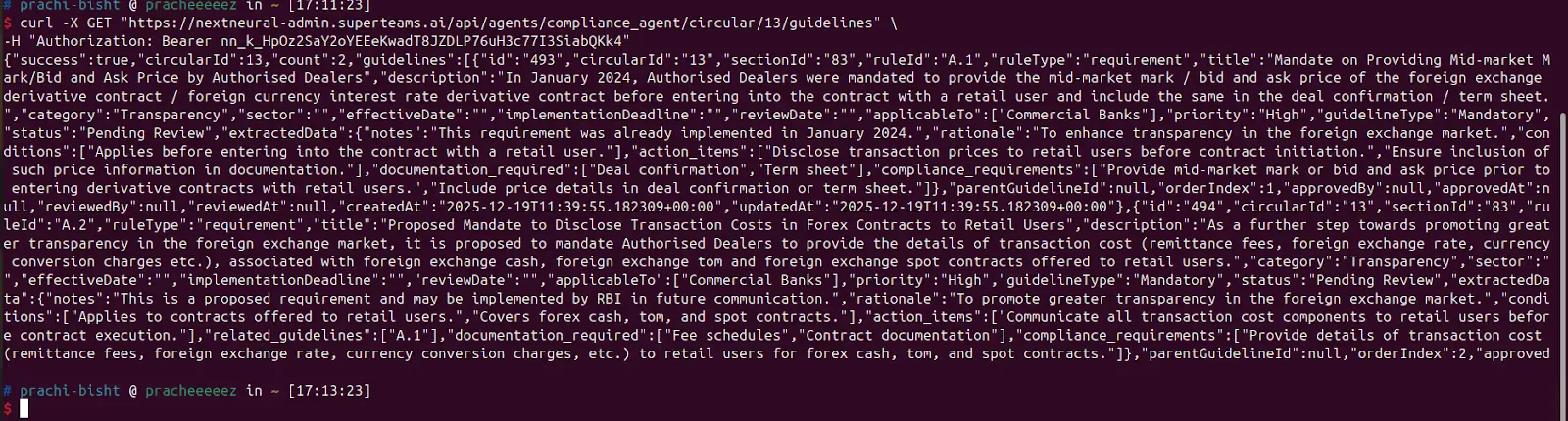
$ curl -X GET "https://nextneural-admin.superteams.ai/api/agents/compliance_agent/circular/13/guidelines" \
-H "Authorization: Bearer <API-KEY>"
- Query Extracted Guidelines:
$ curl -X GET "https://nextneural-admin.superteams.ai/api/agents/compliance_agent/circular/13/guidelines" \
-H "Authorization: Bearer <API-KEY>"
- Chat With AI Assistant
curl -N -X POST "https://nextneural-admin.superteams.ai/api/agents/compliance_agent/chat/stream" \
  -H "Authorization: Bearer <API-KEY>" \
  -H "Content-Type: application/json" \
  -d '{"query": "what does the circular discuss ?"}'
The last endpoint—the chat interface—is where things get interesting, as you will see below.
The Streaming Puzzle
When you test the chat endpoint with curl, you see something unexpected.
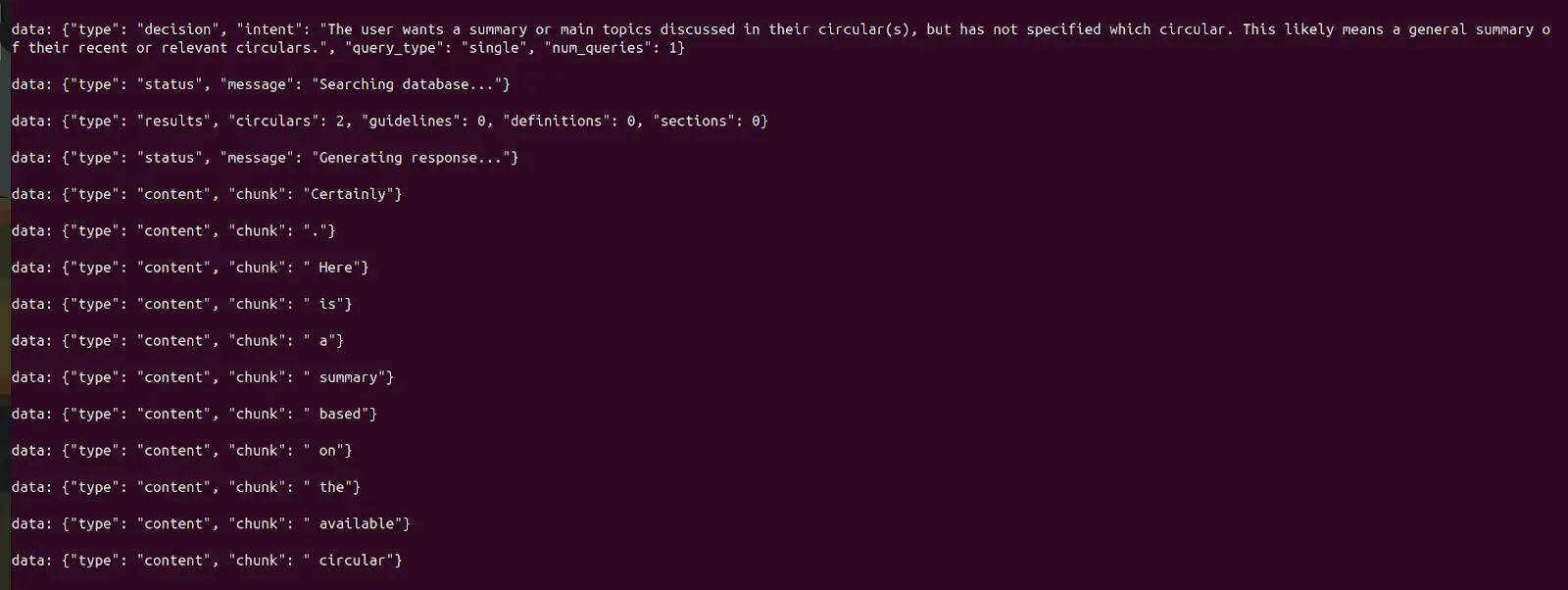
At first glance, this looks confusing:
- There’s no single JSON response
- The answer arrives in tiny fragments
- Multiple event types are interspersed
- There’s no clear “final response” object
Why does this happen?
Understanding Server-Sent Events (SSE)
The API uses Server-Sent Events (SSE), a web standard that enables servers to push real-time updates to clients over HTTP. Unlike traditional request-response APIs that wait for the complete answer before sending anything, SSE does the following:
- Keeps the HTTP connection open during processing
- Sends events incrementally as they’re generated
- Streams progress updates in real-time
- Delivers partial responses immediately
This is crucial for AI applications. Large language models don’t generate entire responses instantaneously—they produce tokens (words or word fragments) sequentially. SSE lets you display each token as it’s generated, creating the responsive, real-time feel users expect from modern AI interfaces.
The Event Structure
Each SSE message follows a simple format:
data:
The data: prefix identifies each event, followed by a JSON object containing:
- type: The event category (start, content, metadata, end)
- chunk: The text fragment (for content events)
- Additional metadata like processing times, token counts, or source citations
The key insight: only type: “content” events contain the actual answer. Everything else is metadata about the generation process.
Building a Streaming Client
To get a clean, readable response, you need to:
- Open a streaming HTTP connection
- Read the response line by line
- Filter for type: “content” events
- Append each chunk in order
- Join everything when the stream ends
Python Implementation
- First, set up your environment:
python3 -m venv venv
source venv/bin/activate
pip install httpx- Create a new Python file
nano stream_client.py- Put this in the file:
import httpx
import json

url = "https://nextneural-admin.superteams.ai/api/agents/compliance_agent/chat/stream"
headers = {
    "Authorization": "Bearer <API-KEY>",
    "Content-Type": "application/json",
}

payload = {"query": "What does the circular discuss?"}

answer_chunks = []

with httpx.stream("POST", url, headers=headers, json=payload, timeout=None) as response:
    for line in response.iter_lines():
        if not line or not line.startswith("data:"):
            continue

        data = json.loads(line.replace("data:", "").strip())
        if data.get("type") == "content":
            answer_chunks.append(data["chunk"])

final_answer = "".join(answer_chunks)
print(final_answer)
- Run the file:
python3 stream_client.py
The output would be a detailed paragraph:
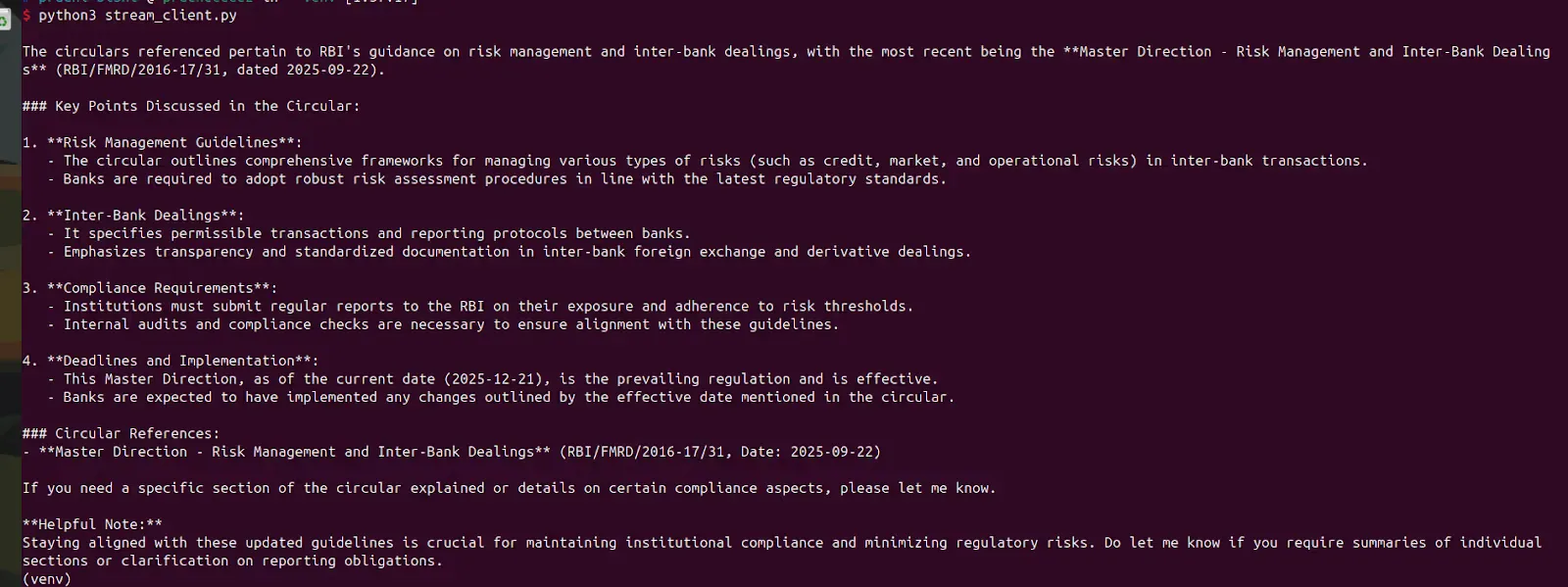
This coherent paragraph was assembled from potentially hundreds of small chunks streamed over several seconds. Each chunk arrived the moment it was generated, enabling real-time display without waiting for the complete answer.
The Bigger Picture
The NextNeural Compliance Assistant demonstrates a pattern that’s becoming standard in AI applications: streaming LLM outputs for real-time interaction. Whether you’re building compliance tools, customer support bots, or document analysis systems, understanding SSE and streaming APIs is essential.
The key principles are:
- Stream when latency matters to the user experience
- Filter events by type to extract only the content you need
- Handle connection failures gracefully since streams run longer than traditional requests
- Update UIs incrementally to create responsive, modern interfaces
Check out the NextNeural Compliance Assistant or dive into the API documentation to start building your own streaming AI applications.
-Feature-Image.CjBFdO7y_Z1bTNvg.webp)