How to Choose the Best AI Image Generation Model in 2026
Compare top AI image generation models for inpainting, virtual staging, and scene edits. See strengths, realism, control, and workflow fit for marketing and creative teams in 2026.

In 2026, AI image generation tools are a critical part of content and marketing workflows. Tasks that once required specialized software and long production cycles are now being handled through simple prompts and fast iterations, making high-quality visuals easily accessible to teams. As the tools continue to improve in realism and control, we compare several image generation models for inpainting, focusing on their recent progress, current strengths, and remaining gaps in performance. After going through this article, you can decide for yourself which one works the best for you.
Inpainting Workflow
What Is Inpainting?
Inpainting is a controlled image generation workflow in which a model only modifies a masked or highlighted region of an existing image while leaving the rest untouched. Instead of generating an entire scene from scratch, the model operates under strict constraints imposed by the original image and an explicit mask, leaving existing geometry, lighting, and spatial context untouched. This shifts the task from free-form generation to precise, localized editing.
This constraint-driven nature is exactly what sets inpainting apart and makes it relevant. Many real-world applications, such as virtual staging, scene modification, product visualization and photo retouching, are dependent on predictable, minimal edits rather than full image replacement.
Models Comparison Framework
To keep the comparison close to real-world usage, we have evaluated the models based on two practical tasks: virtual staging and scene modification. Both tasks are run on the same dataset and act as common reference points, making it easier to compare how each model behaves, the quality of its outputs, and how reliable it is under different editing setups.
Output Evaluation Criteria
We’ve compared the final outputs using a small set of criteria that focus on realism, coherence and reliability across models.
- Realism and material fidelity: Overall photoreal quality and surface detail of generated elements.
- Lighting and spatial coherence: Consistency of illumination, shadows, perspective and scale with the original scene.
- Scene preservation: How well unedited regions remain unchanged and edits stay localized.
- Artifact control: Absence of hallucinations, distortions or unintended objects.
- Stability and usability: Consistency across runs and reliability for practical use, with or without workflows.
Virtual Staging
Task Overview
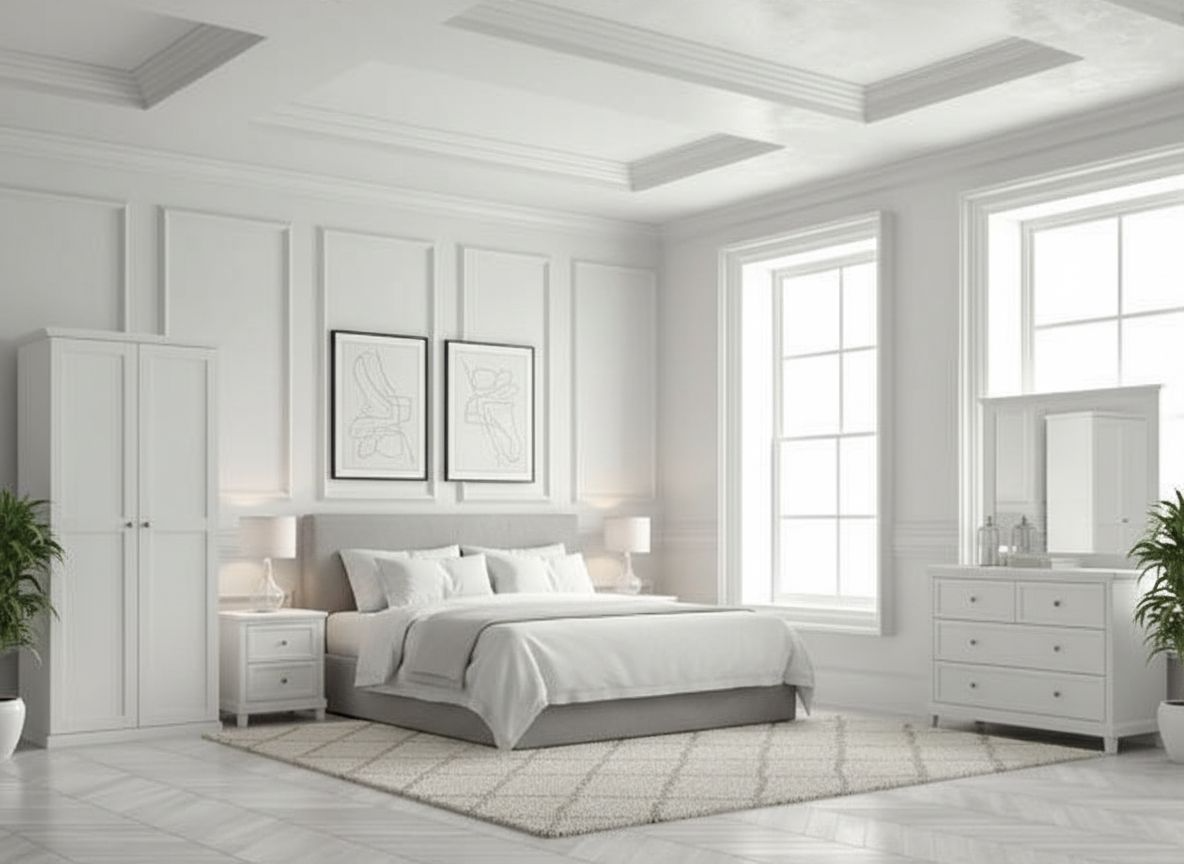
Virtual staging is the furnishing or enhancing of an existing interior scene while preserving its original layout, proportions and lighting. Unlike strict object replacement, it focuses on broader scene enhancement like adding furniture, décor and spatial context while preserving strong alignment with the room’s geometry and illumination. The challenge with virtual staging lies in enriching the scene without introducing structural drift or breaking visual coherence.
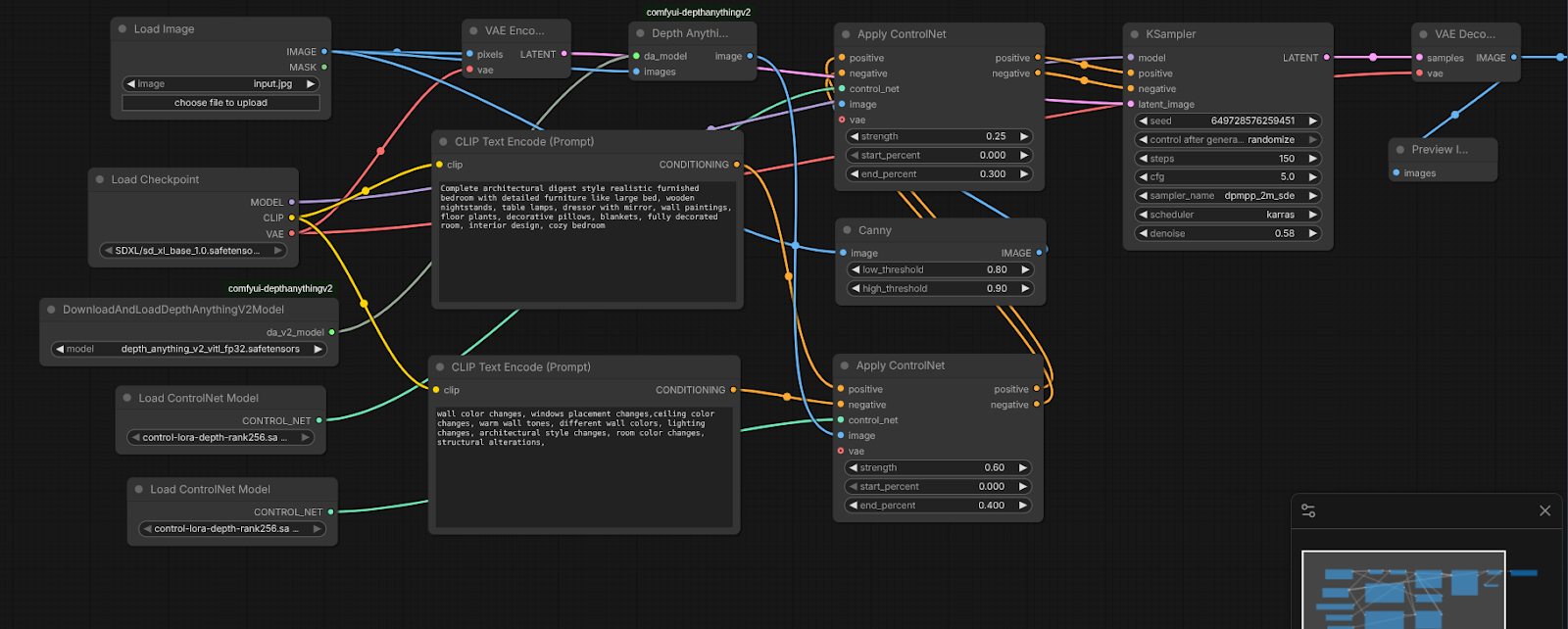
Reference Workflow
- The starting point is a fixed input image from the shared dataset.
- The image is then encoded and passed through depth estimation and edge detection to extract structural cues.
- These structural signals are applied via ControlNet to guide generation.
- A descriptive but bounded prompt defines the intended staging outcome.
- We generate the image without an explicit inpainting mask, allowing global but structure-aware edits.
- We evaluate the outputs directly, with no post-processing or manual correction.
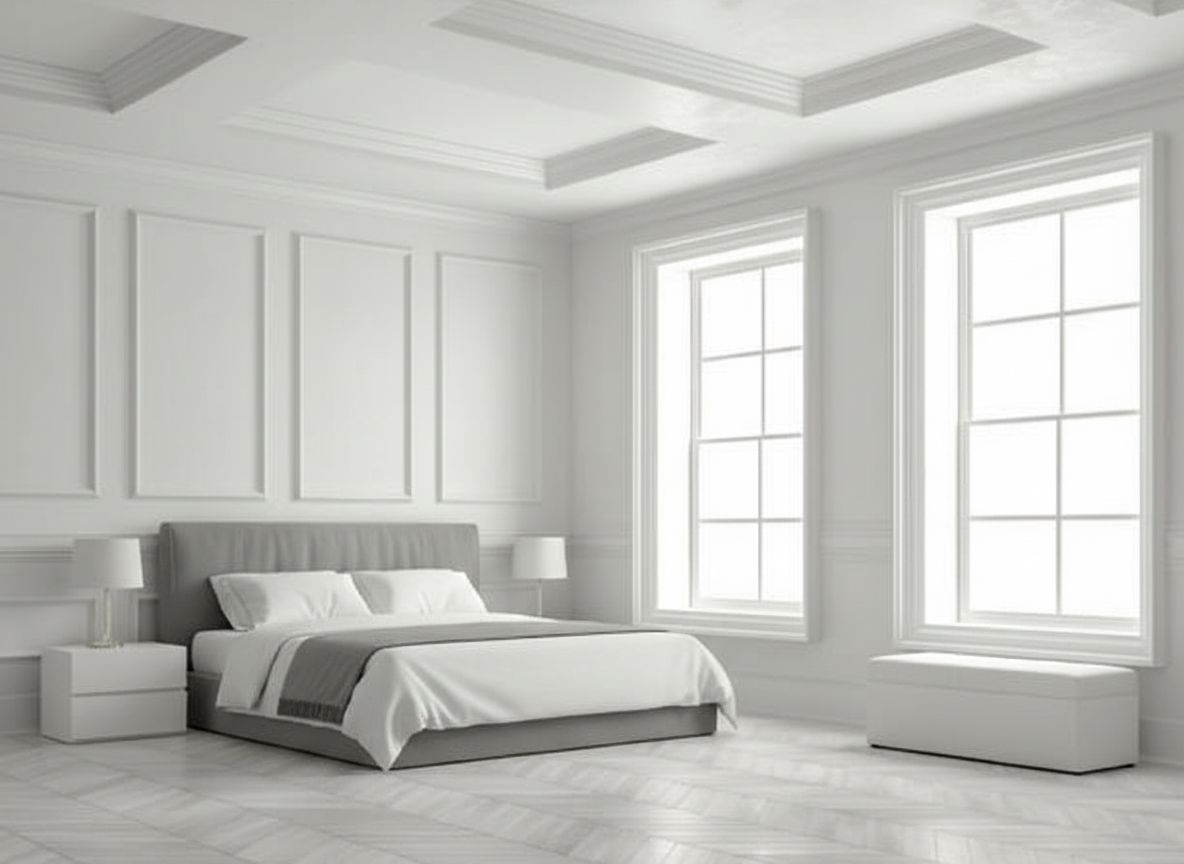
Input Images
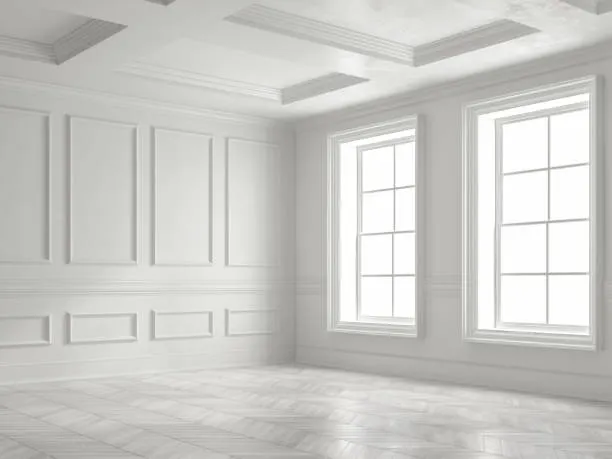
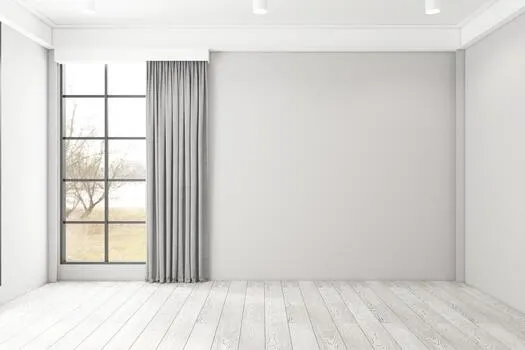
Open-Source Models
SDXL
SDXL is a widely applied open-source image generation model used as a common baseline in many production pipelines. It is known for its flexibility, strong tooling support and predictable behavior when used with structured inputs like depth, edges and prompts. Rather than excelling out of the box, SDXL shines when carefully guided.
Prompts
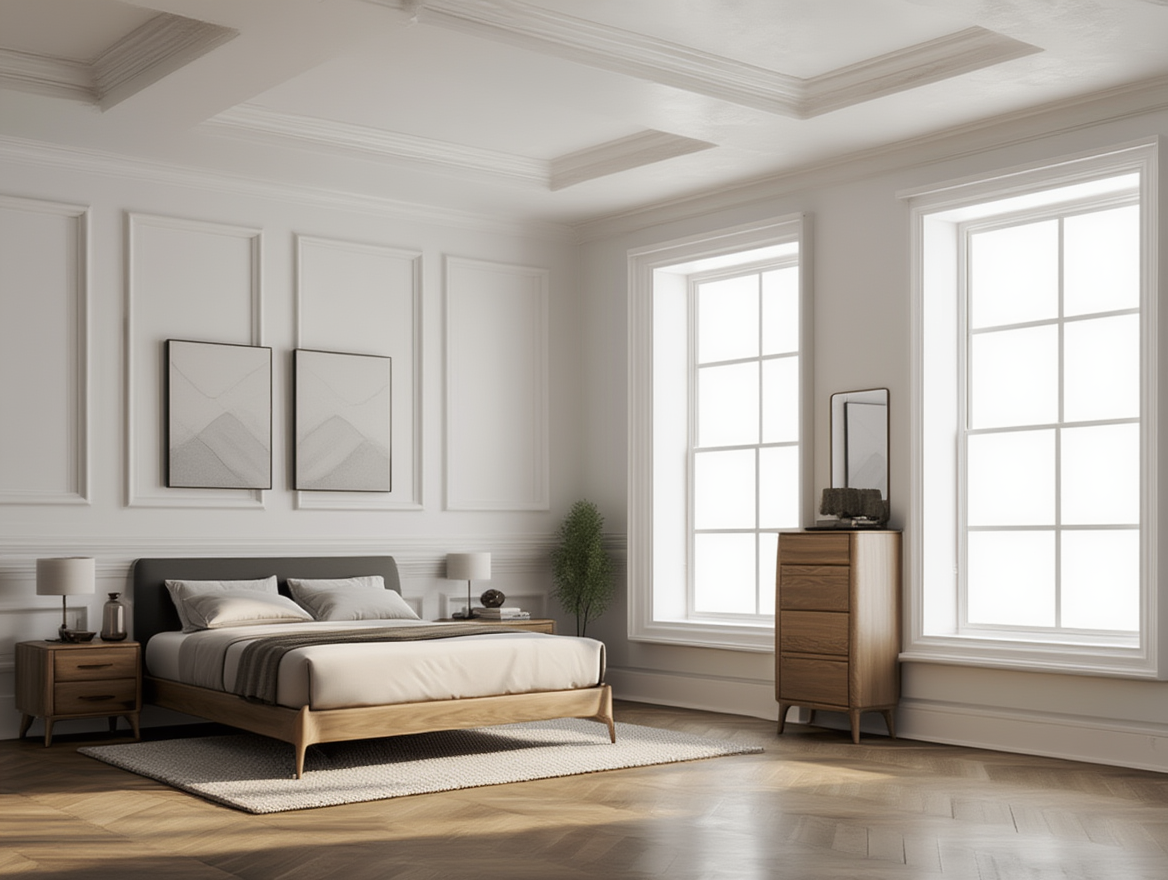
Positive: Complete architectural digest style realistic furnished bedroom with detailed furniture like large bed, wooden nightstands, table lamps, dresser with mirror, wall paintings, floor plants, decorative pillows, blankets, fully decorated room, interior design, cozy bedroom
Negative: wall color changes, windows placement changes,ceiling color changes, warm wall tones, different wall colors, lighting changes, architectural style changes, room color changes, structural alterations.
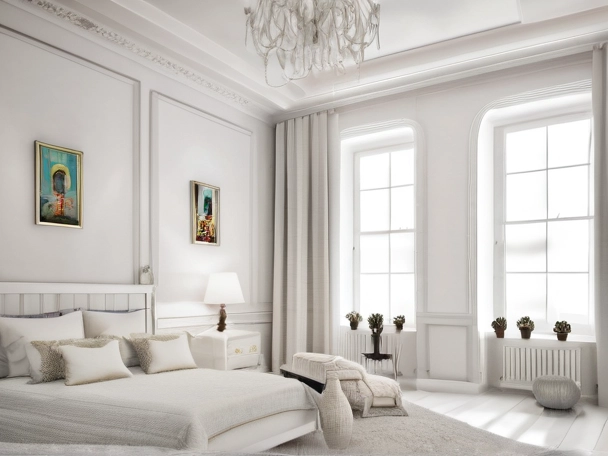
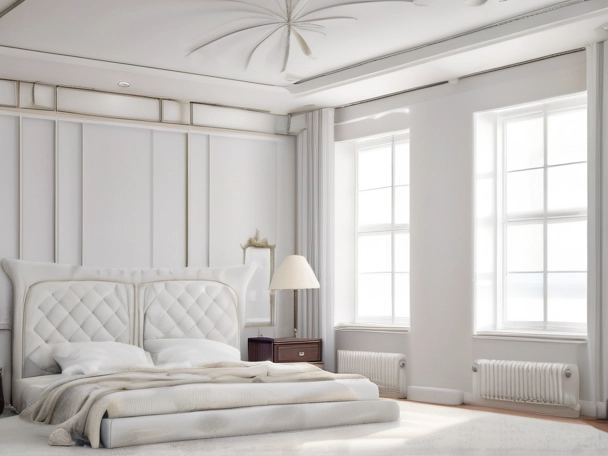
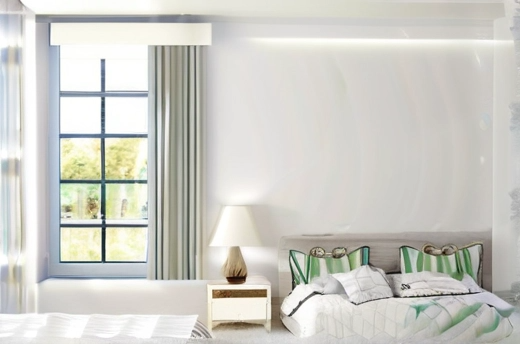
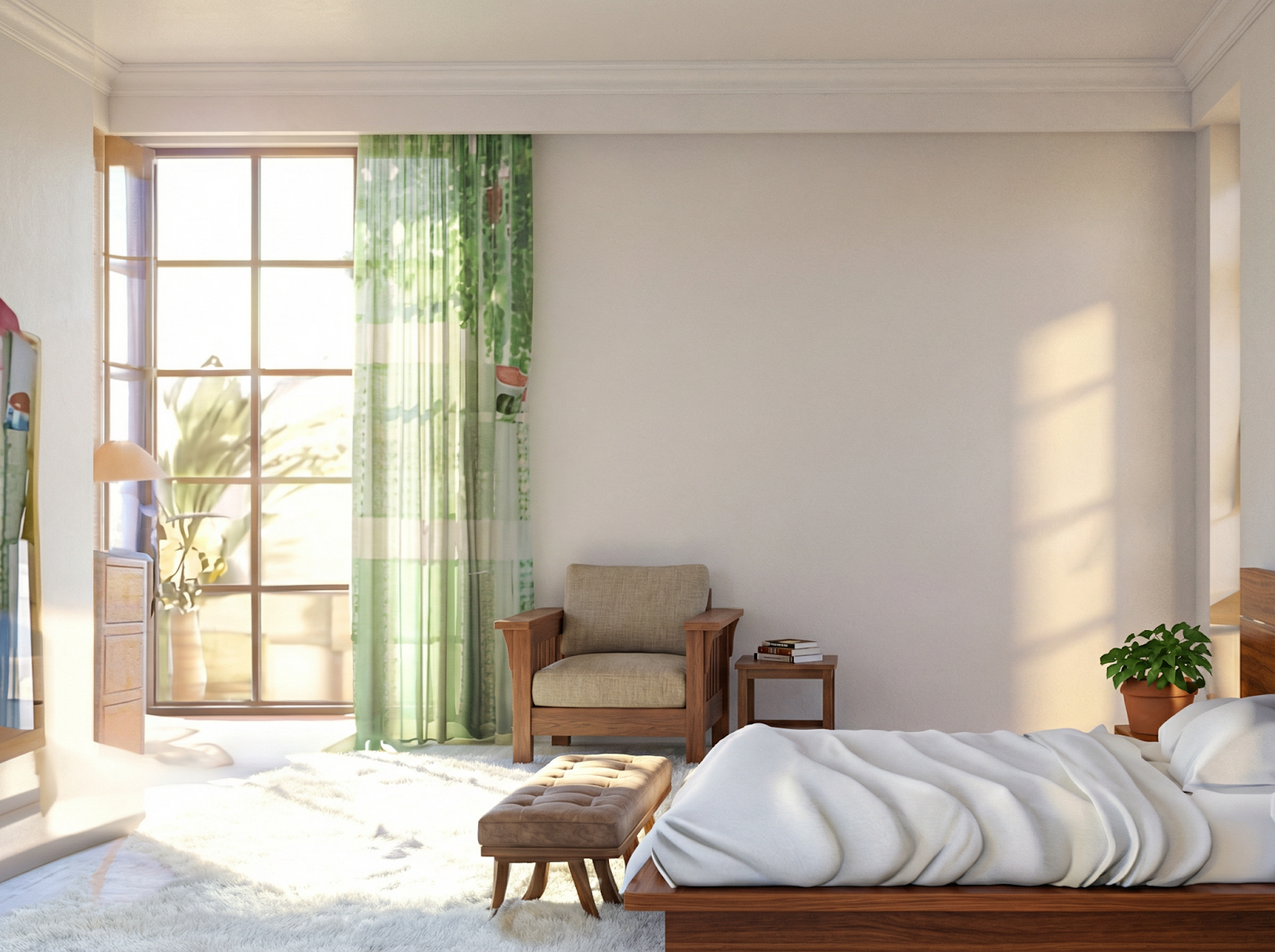
SDXL maintains basic structural alignment, with furniture placed at roughly correct scale and orientation, but you may feel that the results are conservative or restrained. Textures across fabrics and walls appear flat and smoothed, lacking the material depth seen in stronger models. Architectural details are preserved however, though wall and décor changes tend to look uniform and synthetic. Lighting remains stable, but shadows and contact points are underdeveloped, reducing realism.
BFL/FLUX.2-dev
BFL/FLUX.2-dev is a newer generation image model focused on photoreal, scene-aware generation rather than broad flexibility. It is great with spatial understanding, lighting coherence and material realism, which shows clearly in interior and staging tasks.
Unlike SDXL, FLUX-dev performs well straight out of the box, requiring less guidance to produce convincing results, especially in structured environments like rooms and architectural scenes.
Prompt
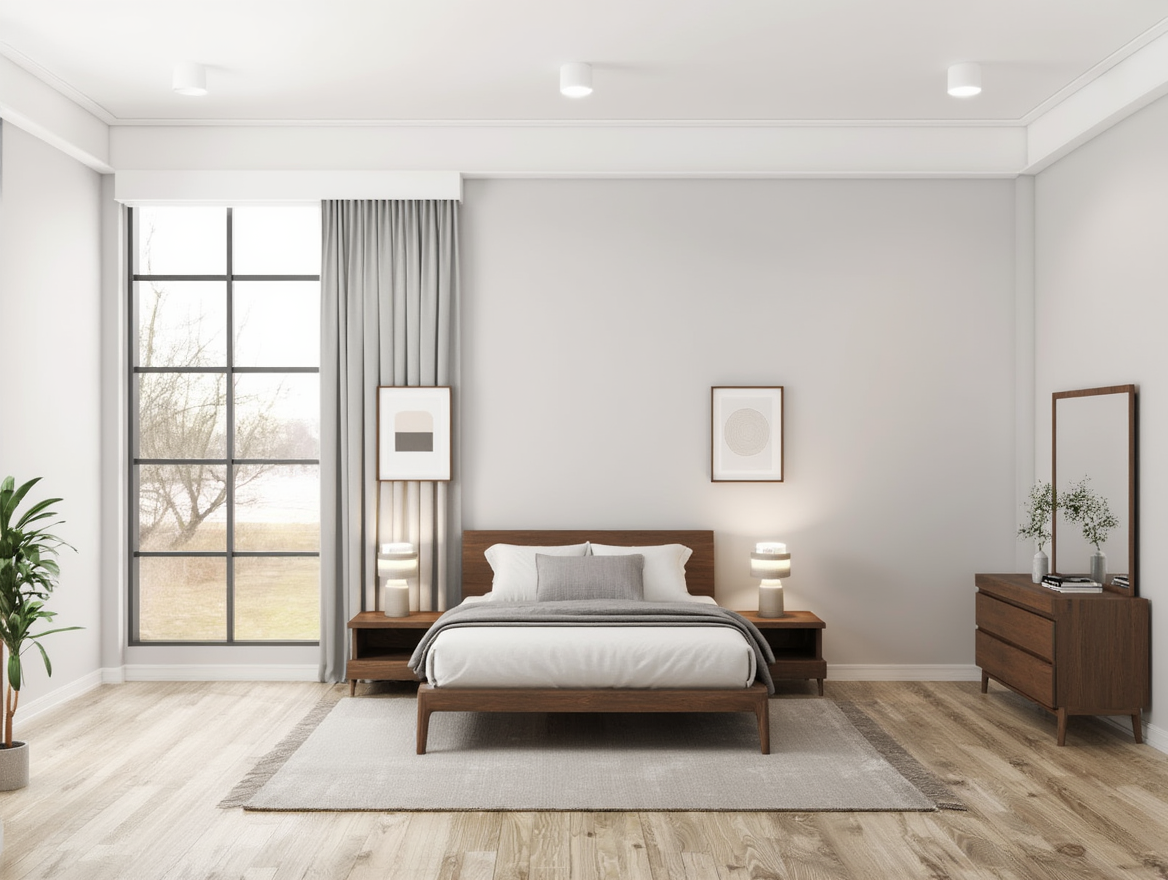
Photorealistic architectural-digest-style interior furnishing of the provided empty room, strictly following the input image. Preserve the exact room geometry, proportions, walls, ceiling, windows, window visibility, window placement, lighting direction, and architectural structure with no changes. Furnish the room as a clean, modern, realistically styled bedroom with minimal and functional decor, scaled naturally to the available space in the input image. Include only essential furniture and decor in balanced amounts: a properly sized bed appropriate to the room, simple pillows (no excess pillows), light bedding and a single blanket, wooden nightstands, table lamps, a dresser with a mirror, limited wall art placed only on existing walls, an optional floor plant, and a subtle rug if space allows. Maintain clear, unobstructed windows with no curtains blocking light and no furniture hiding windows. Realistic materials, accurate shadows, natural light behavior, true-to-life textures, and professional interior photography realism. No wall color or tone changes, no ceiling color changes, no window placement changes strict, no window blocking or hiding, no lighting changes, no architectural or layout modifications, no room color changes, no structural alterations, no clutter, no over-decorating, no excessive pillows, no oversized furniture, no CGI or cartoon look, no fantasy elements, no oversaturation, no blur, no low detail, no mismatched lighting.
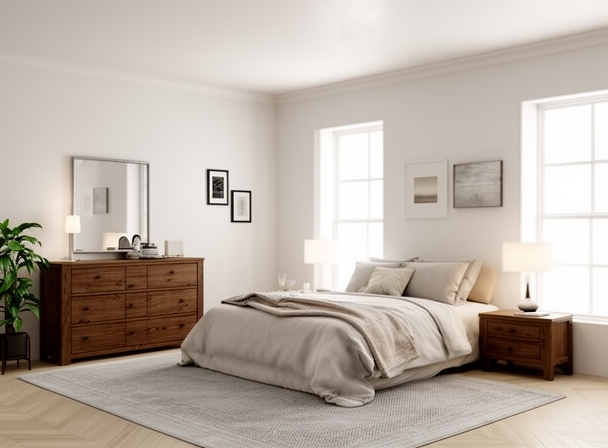
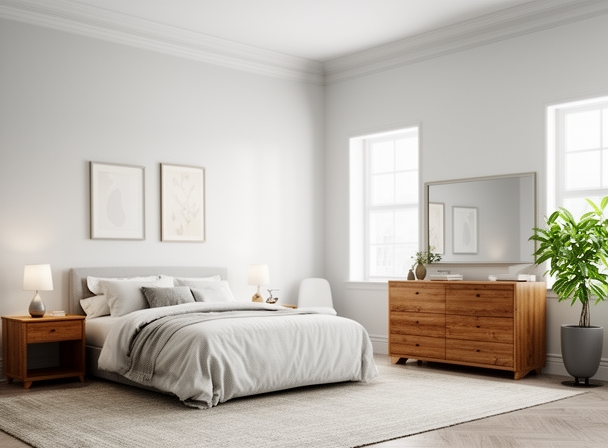
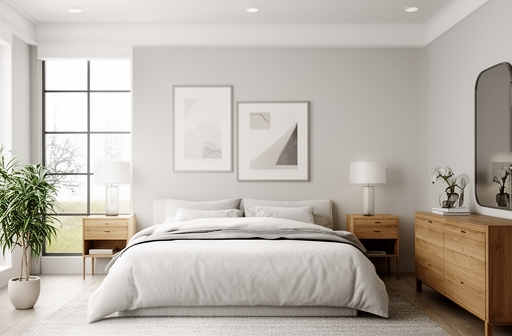
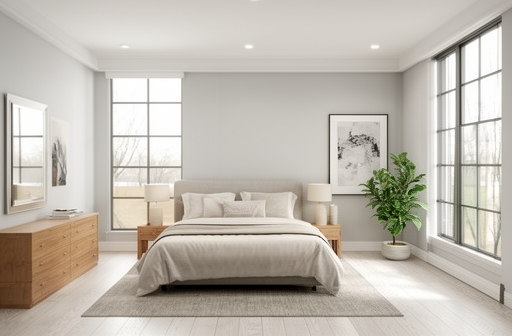
The outputs we’ve generated have strong spatial awareness, placing furniture cleanly within the room while respecting wall boundaries, window alignment, and overall proportions. Material quality is noticeably better than baseline models, with fabrics, wood surfaces, and flooring showing more depth and variation rather than flat textures. Lighting integration is convincing, with clearer contact shadows and better separation between objects and the floor, although some scenes still have a slightly polished, showroom-like look. Overall, the results look production-ready and real enough under close inspection, although the model prioritizes neatness and order over lived-in irregularity.
Reve/Remix
Reve/Remix is built around the idea of fast, remix-style image generation, where existing scenes are adapted from other images rather than built from scratch. It has better speed, simplicity and stylistic consistency, making it easy to apply broad visual changes without heavy workflow setup.
The model is geared towards rapid iteration, with output quality prioritizing cohesion and smoothness over strict physical accuracy.
Prompt
Photorealistic, high-end editorial interior furnishing of the provided empty room, strictly based on the input image. Preserve the exact room geometry, proportions, walls, ceiling, floor, window placement, window visibility, and architectural structure with no changes. Furnish the room as a clean, modern, minimally styled bedroom with precise spatial alignment. Use only limited pillows, simple bedding, and one blanket. Add wooden nightstands, table lamps, a dresser with mirror, restrained wall art placed symmetrically, optional single floor plant, and a subtle rug centered beneath the bed. Maintain fully visible, unobstructed windows with no furniture, curtains, or decor blocking, hiding, or reframing them. No wall color or tone changes, no ceiling color changes, no window placement changes, no window blocking or hiding, no lighting changes, no architectural or layout modifications, no room color changes, no structural alterations, no clutter, no over-decorating, no excessive pillows, no oversized furniture, no asymmetry, no misalignment, no CGI or stylized look, no fantasy elements, no oversaturation, no blur, no low detail, no mismatched lighting
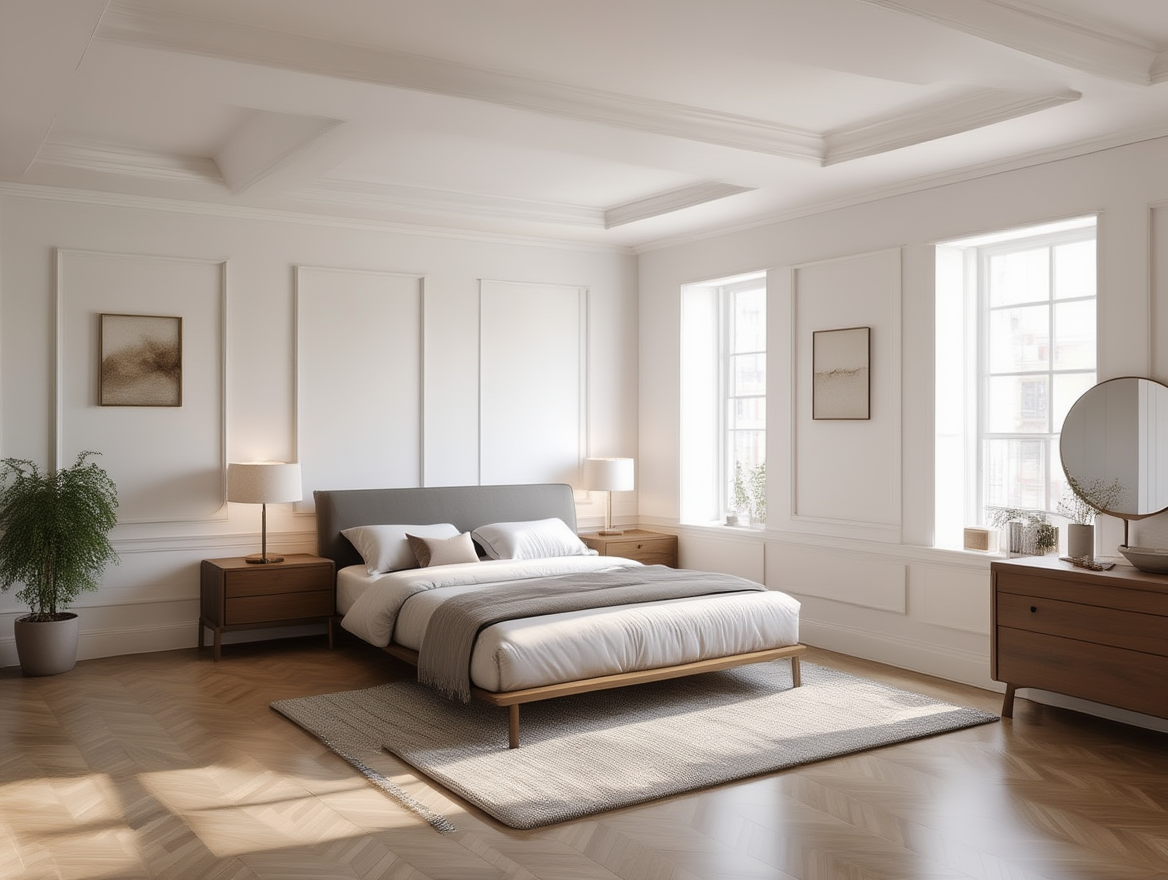
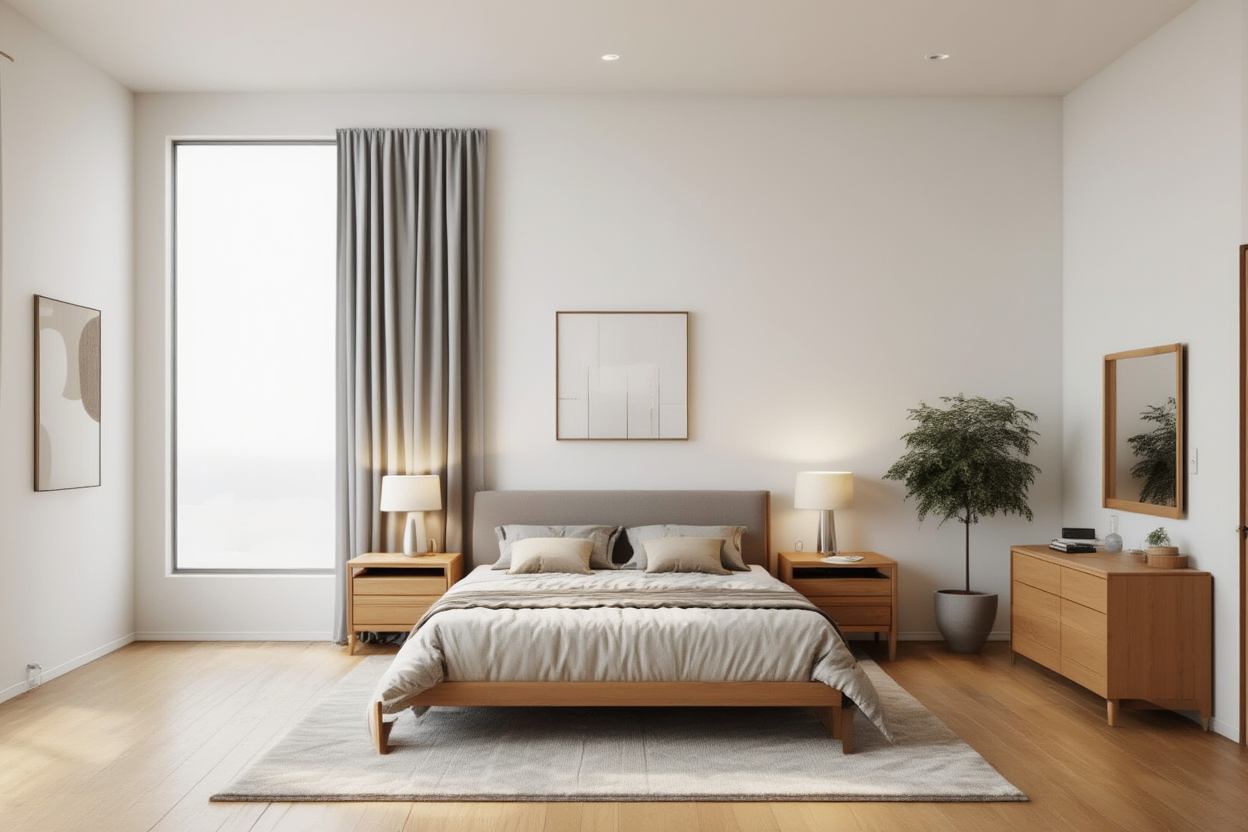
The outputs generated look clean and visually consistent, with layouts that fit naturally within the room while maintaining a strong sense of balance. The scenes feel cohesive and polished at a glance, which makes them effective for quick previews. Though some surface details tend to be simplified, materials like fabric and wood lack the depth and variation seen in more realism-focused models like nano banana. Lighting is generally aligned with the scene, but subtle shadows and object grounding look muted, reducing perceived depth.
Closed-Source Models
Google/Nano Banana
Nano Banana is Google’s lightweight image generation and editing model built for fast, interactive visual workflows. It supports both image generation and basic editing through natural language prompts, with a focus on responsiveness and ease of use rather than maximum visual fidelity. The model was built to work well in conversational and multi-step creative setups, making it great for quick iterations and simple scene adjustments.
Prompt
Photorealistic furnishing strictly based on the input room image; preserve exact geometry, layout, windows, lighting, and camera angle;add a bed aligned to the room’s central axis with symmetrical and furniture like nightstands and lamps; dresser with mirror, a wardrobe or storage unit if space allows, minimal wall art, a rug, and one or two plants; keep windows fully visible and unobstructed; no camera angle change, wall, ceiling, window, lighting, color, layout, or structural changes; no clutter, misalignment, or stylization.
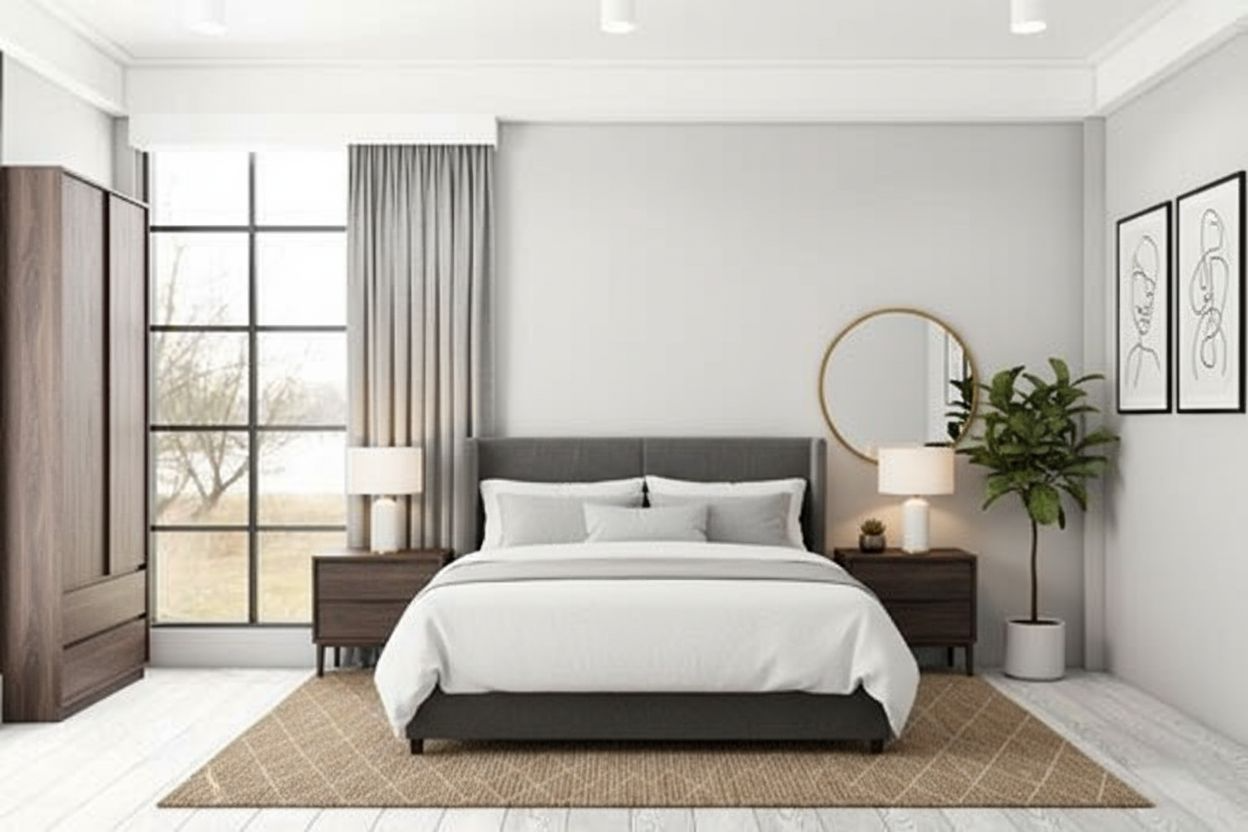
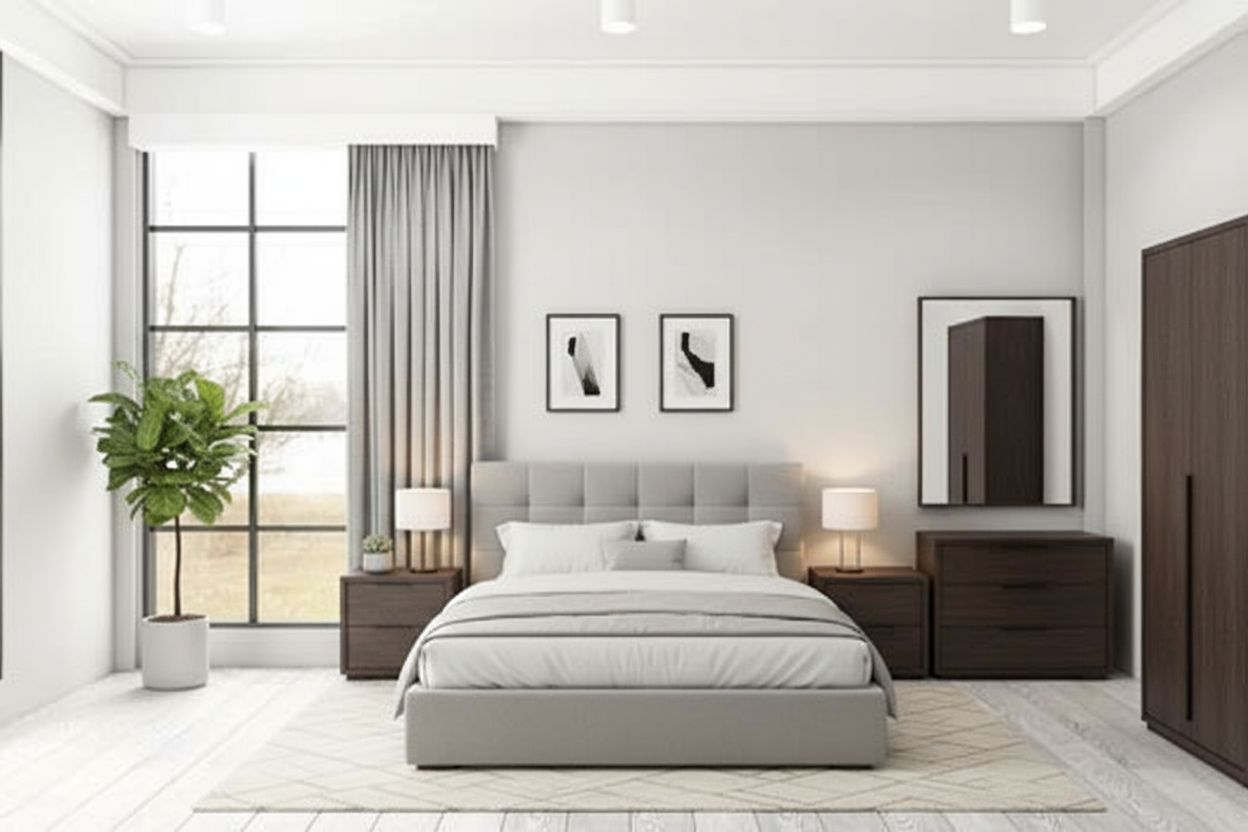
Nano Banana delivers surprisingly strong results across both empty-room inputs, producing scenes that feel clean, balanced, and immediately usable. Material rendering, especially on beds and wooden furniture, holds up well and avoids the overly smoothed look seen in some other models. Lighting integration tends to be great, with clearer grounding and more convincing shadow placement that helps objects sit naturally in the room.
Scene Modification
Task Overview
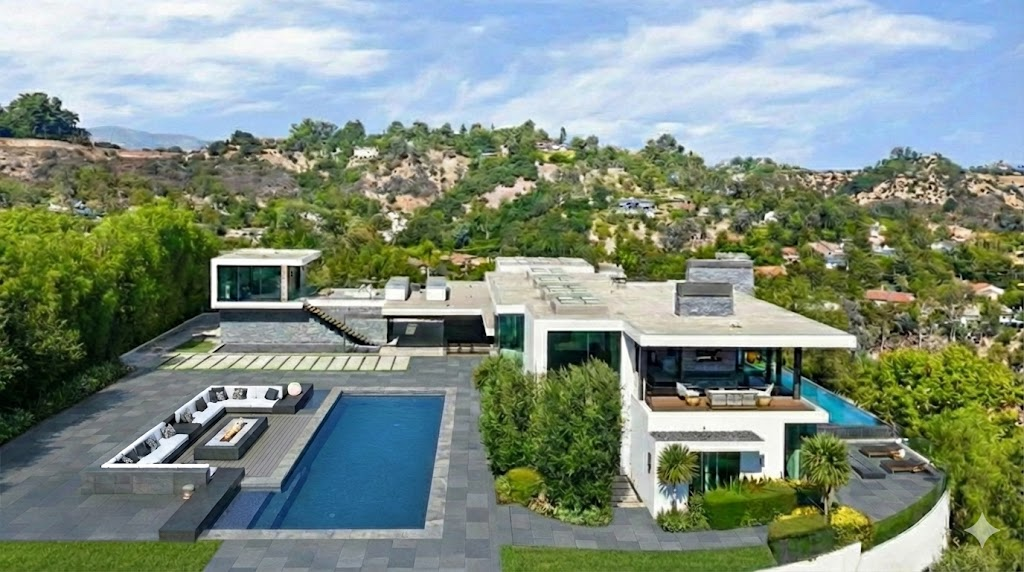
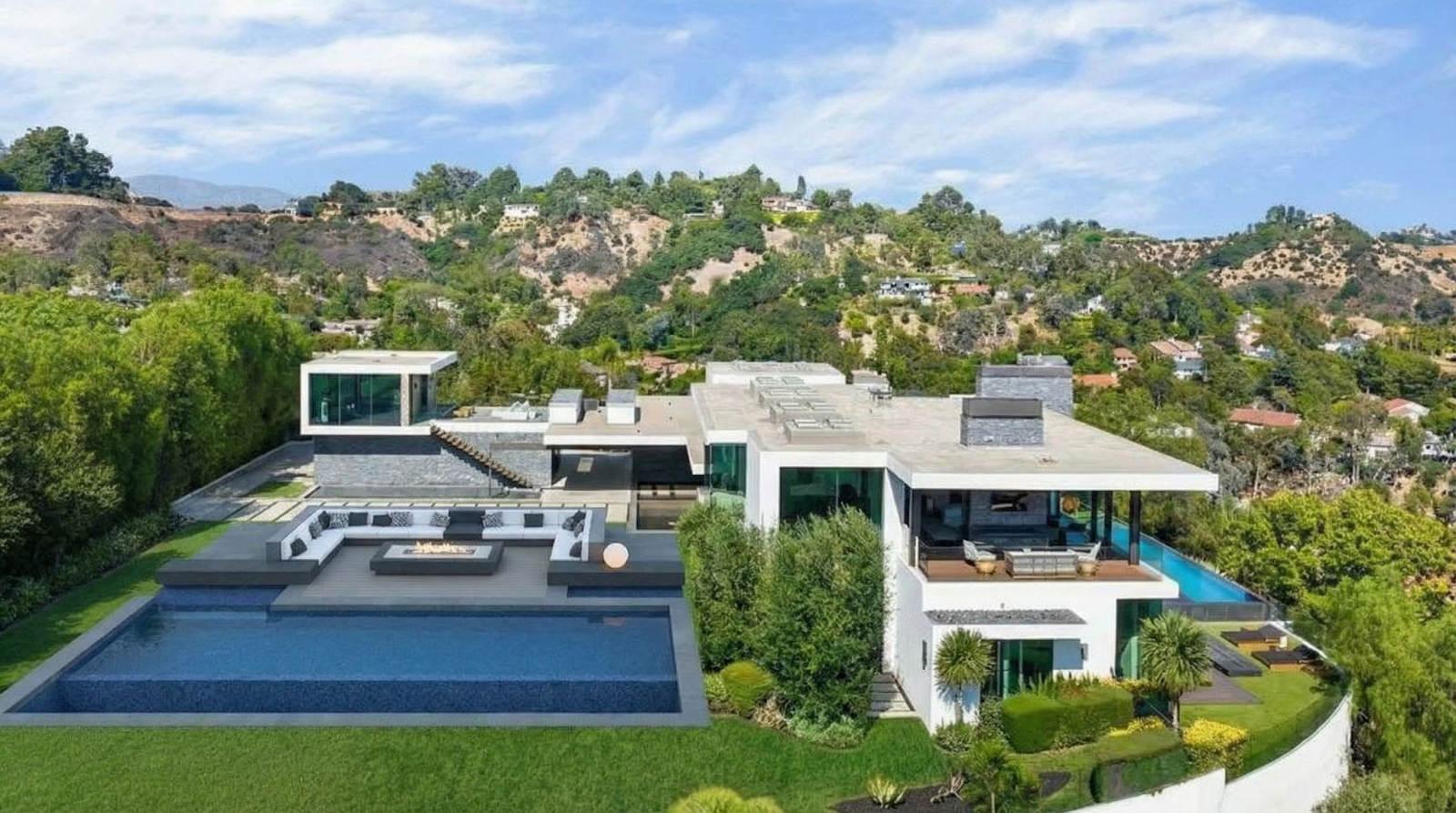
In this task, we’ll focus on replacing a specific external area of an existing image rather than enhancing the entire scene. What we want to do is fill the empty green area and replace it with a swimming pool and sunken pit from the reference image. Unlike virtual staging, this requires tight control over alignment, scale and perspective so the new structure fits naturally into the original image.
The main challenge is blending the replacement seamlessly, matching lighting, edges and surrounding context without introducing visible seams or disrupting the rest of the scene.
Inpainting Workflow
All models in this comparison follow the same inpainting pipeline:
- The model generates content exclusively within the masked area, after which the output is evaluated without any post-processing or manual correction.
- A fixed input image from a shared dataset is used as the starting point for all models.
- A precise mask defines the region to be edited, keeping the rest of the image unchanged.
- A constrained prompt specifies only the intended modification within the masked area.
- Structural guidance, like depth and edge information, is applied to preserve geometry and perspective.
- The model then generates content exclusively inside the masked region.
Input Images
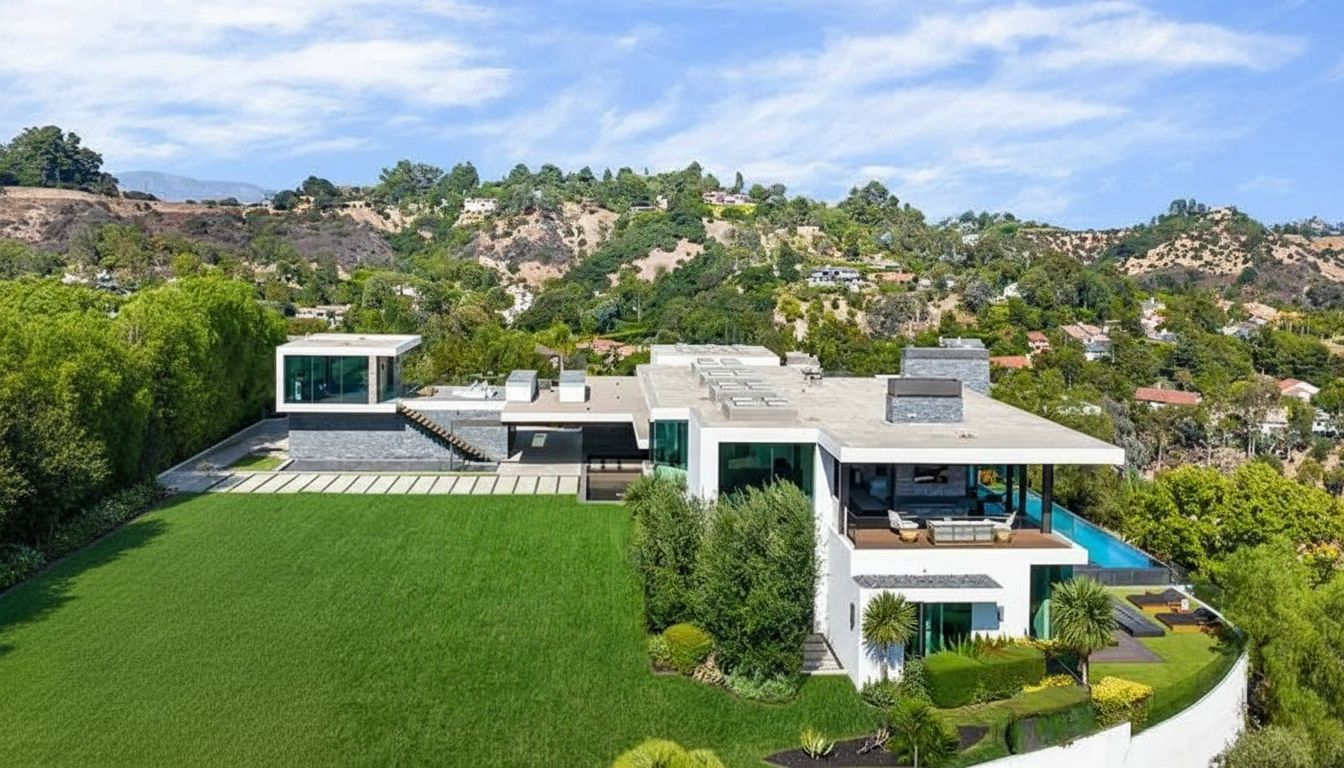
Here, I want the grass to be replaced with the swimming pool. Let’s see how the models perform.
Reve/Remix
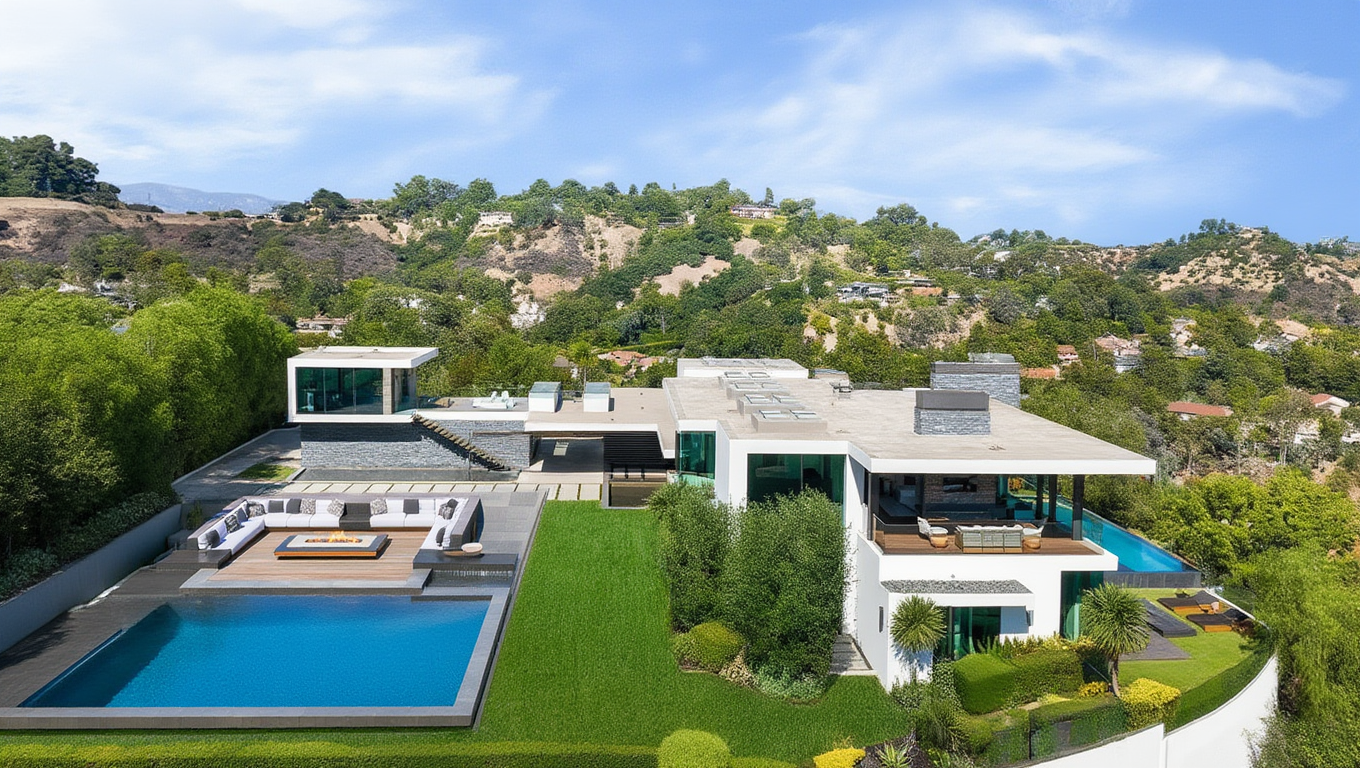
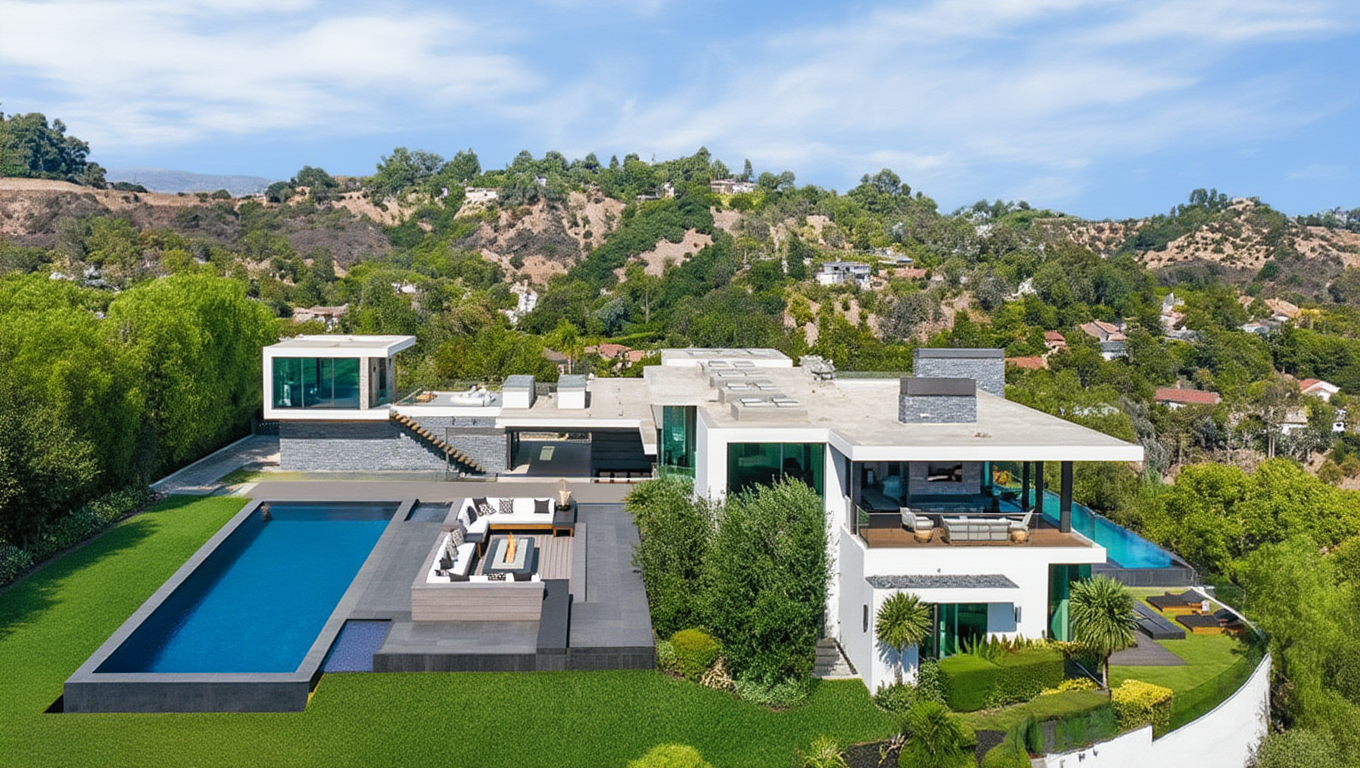
Reve/Remix has produced visually coherent replacements that fit the scene at a glance, with reasonable scale and layout alignment. However, blending at the construction edges is imperfect, and the new structure lacks strong grounding with the surrounding terrain. Lighting is broadly consistent but misses subtle shadow details, making the building feel lightly placed rather than fully integrated.
Prompt
Add the pool and sunken pit styled like in the reference image in the left empty green area of the main image. Do not edit angle or anything in the main image, just merge the reference image for inpainting
BFL/FLUX.2-dev
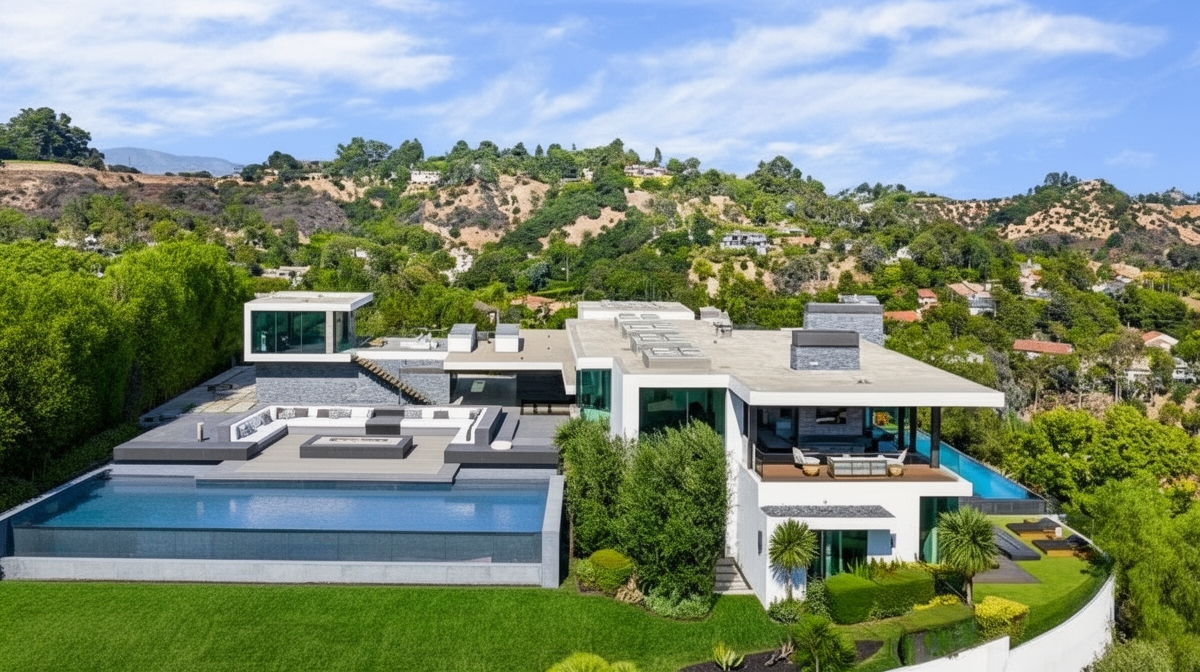
FLUX-dev has produced replacements that align cleanly with the surrounding terrain and perspective. The new structure feels grounded, with smooth transitions, strong lighting and color matching across large surfaces. While the result retains a slightly polished look, it avoids the obvious “placed-on-top” effect, making it one of the more spatially consistent outcomes for large-scale scene replacements.
Prompt
Using the provided reference image, fill the empty green area on the left side of the main image with a modern luxury outdoor seating and sunken fire-pit area combined with a large swimming pool that matches the reference in design, materials, scale, and architectural style. The added structures should fully cover the empty area near the path, integrate the fire-pit flooring seamlessly with the existing pathway so it appears naturally connected, and align perfectly with the current ground level. Increase the size of the pool and fire-pit if needed to ensure the space feels balanced, realistic, and intentionally designed, while allowing some grass to remain only at the bottom of the image. Match lighting, shadows, perspective, color tones, and landscaping precisely so everything blends smoothly with the surroundings. Blend all edges cleanly with no visible cut lines, masks, or seams. The final image must be photorealistic, cohesive, professionally shot, and indistinguishable from an original real-world architectural photograph.
Google/Nano Banana
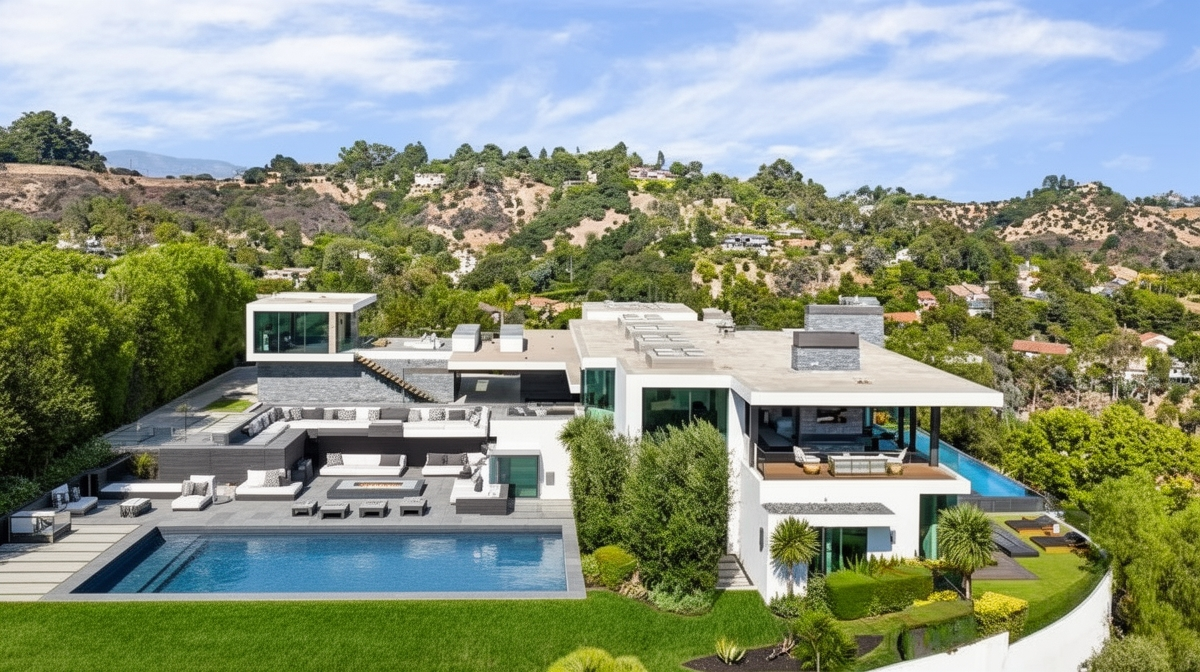
Nano Banana performs strongly here, producing replacements that blend naturally into the landscape. The structure aligns well with terrain and perspective, with lighting and color matching that holds up across large surfaces. While fine details are simplified, the overall integration feels cohesive and intentional rather than pasted in.
Prompt
Using the provided reference image, fill ONLY the empty green area on the left with a modern luxury outdoor seating and fire-pit area integrated with a large pool, matching the reference in style, materials, and scale. Seamlessly connect the fire-pit floor to the existing pathway, adjust the pool and pit size and shape if needed, and leave grass only at the bottom.
Conclusion
The future of image generation and editing is being increasingly shaped by models that understand structure and context directly without the need for rigid, multi-step workflows. As newer architectures improve spatial reasoning and visual consistency, we can achieve high-quality results with less manual guidance and setup.
As the line between raw generation and production-ready output continues to blur, we can gear up for more fun and excitement with our creative tasks.
If you’d like to create a speech-to-image pipeline for your business, speak to us.
Authors

Want to Scale Your Business with AI Deployed on your Cloud?