
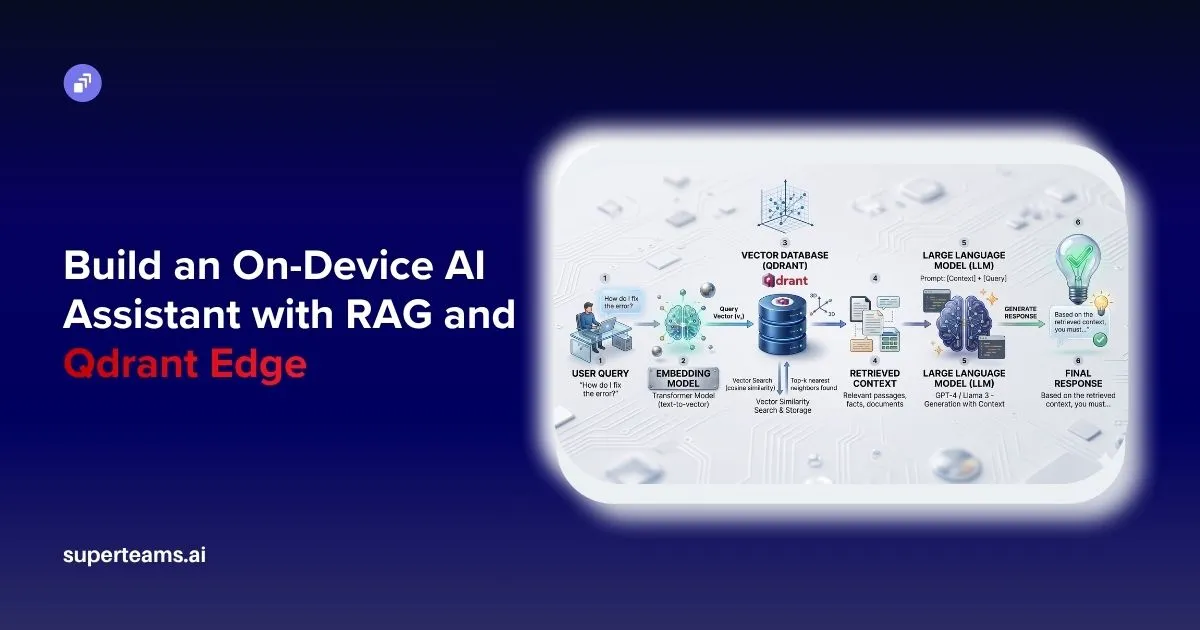
Modern AI systems are powerful, but most of them rely heavily on cloud infrastructure. Every query is sent over the internet, processed remotely, and returned back to the user. While this works fine, the process introduces latency, privacy risks, and dependency on external services. In sensitive domains like legal or personal data, this becomes a serious limitation.
This project demonstrates how to build a fully functional AI assistant that runs locally, using Qdrant Edge for vector search and a lightweight embedding model. The system retrieves relevant information from local documents and uses an LLM only for generating responses, ensuring both efficiency and control.
Why Qdrant Edge?
Vector databases are the backbone of any RAG system. Popular options include Pinecone, Weaviate, FAISS, and Qdrant. However, most of them either:
- Require a cloud setup (Pinecone)
- Need heavy configuration (Weaviate)
- Lack structured payload support (FAISS)
Qdrant Edge stands out because:
- It is designed specifically for on-device usage, unlike cloud-first solutions
- It provides persistent storage, unlike FAISS which is mostly in-memory
- It supports payload filtering + metadata, making it ideal for structured documents
- It is lightweight yet production-ready, unlike experimental local solutions
- It uses efficient indexing (HNSW) for fast similarity search
In simple terms: Qdrant Edge gives you the power of a production-grade vector database, but small enough to run on your laptop.
Project Structure
project/
│
├── models/           # Embedding model cache
├── qdrant_data/      # Local vector DB storage
├── data.txt          # Legal dataset
├── ingest.py         # Data → Embeddings → Qdrant
├── main.py           # API + RAG pipeline
├── requirements.txt
└── README.md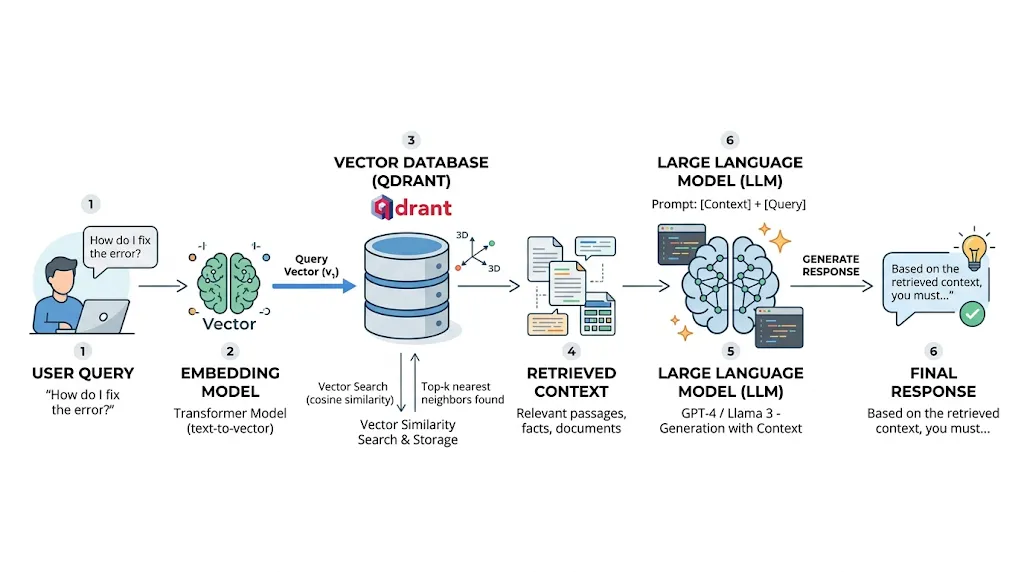
This structure separates concerns clearly:
- Data layer →
data.txt - Processing layer →
ingest.py - Serving layer →
main.py
System Flow
This is a classic RAG pipeline, where retrieval improves the accuracy of generation.

Data Ingestion (ingest.py)
The ingestion pipeline is responsible for converting raw text into a searchable vector format. This is one of the most critical parts of the system because the quality of retrieval directly depends on how well the data is prepared.
Embedding Model
text_model = TextEmbedding(
    model_name="BAAI/bge-small-en",
    cache_dir="./models"
)
Embeddings are the foundation of semantic search. Instead of matching keywords, the system converts text into dense numerical vectors in a high-dimensional space.
The chosen model, BGE-small, is particularly effective because:
- It balances accuracy and speed
- Produces 384-dimensional vectors, which are compact yet expressive
- Works efficiently on CPU, making it ideal for edge devices
When a sentence is passed through this model, it is transformed into a vector such that similar meanings lie closer in vector space. This enables semantic retrieval instead of simple keyword matching.
Chunking Strategy
def chunk_text(text: str):
    sections = re.split(r"\n\d+\.\s", text)

    chunks = []
    for sec in sections:
        sec = sec.strip()
        if sec:
            chunks.append(sec)

    return chunks
Chunking is essential because LLMs and embedding models perform better on smaller, meaningful pieces of text rather than entire documents.
Here, the document is split based on numbered sections (e.g., “1.”, “2.”). This ensures:
- Each chunk represents a logical legal section
- Context remains structured and meaningful
- Retrieval becomes more precise and relevant
Poor chunking can lead to irrelevant or incomplete answers, so this step is crucial.
Creating the Qdrant Edge Shard
EdgeShard.create(
    SHARD_PATH,
    EdgeConfig(
        vectors={
            VECTOR_NAME: EdgeVectorParams(size=384, distance=Distance.Cosine)
        }
    ),
)
This initializes the local vector database.
Key concepts:
- Vector size = 384 → matches embedding dimension
- Cosine similarity → measures angle between vectors (better for semantic similarity)
- Qdrant internally uses advanced indexing (like HNSW), which allows fast nearest-neighbor search even with large datasets.
Data Insertion
def insert_data():
    edge_shard = create_fresh_shard()
    text = load_data()
    chunks = chunk_text(text)

    points = []

    for index, chunk in enumerate(chunks):
        stable_id = hashlib.md5(
            f"{COLLECTION}:{index}:{chunk}".encode("utf-8")
        ).hexdigest()

        point = Point(
            id=stable_id,
            vector={VECTOR_NAME: embed(chunk)},
            payload={
                "content": chunk,
                "chunk_index": index,
                "source": DATA_FILE
            }
        )
        points.append(point)

    edge_shard.update(UpdateOperation.upsert_points(points))

    print(f"Inserted {len(points)} structured sections")
Each chunk is stored as a Point, which contains:
- ID → unique identifier (ensures no duplicates)
- Vector → used for similarity search
- Payload → actual text + metadata
The payload is important because after retrieval, we need to show meaningful text, not just vectors.
RAG Pipeline (main.py)
This file orchestrates the entire system: query processing, retrieval, and response generation.
MODEL_NAME = "BAAI/bge-small-en"
VECTOR_NAME = "text"
COLLECTION = "legal_docs"

TOP_K = 10
OPENROUTER_MODEL = "meta-llama/llama-3-8b-instruct"

BASE_PATH = "./qdrant_data"
SHARD_PATH = os.path.join(BASE_PATH, COLLECTION)

logging.basicConfig(level="INFO")
text_model = TextEmbedding(model_name=MODEL_NAME, cache_dir="./models")

def embed(text: str):
    return list(text_model.embed([text]))[0].tolist()

edge_shard: Optional[EdgeShard] = None

def get_edge_shard():
    global edge_shard
    if edge_shard:
        return edge_shard
    if not os.path.exists(SHARD_PATH):
        raise RuntimeError("Run ingest.py first.")

    edge_shard = EdgeShard.load(SHARD_PATH)
    return edge_shard

llm_client: Optional[OpenAI] = None

def get_llm_client():
    global llm_client
    if llm_client:
        return llm_client

    api_key = os.getenv("OPENROUTER_API_KEY") or os.getenv("OPENAI_API_KEY")
    if not api_key:
        raise RuntimeError("Missing API key")

    llm_client = OpenAI(
        base_url="https://openrouter.ai/api/v1",
        api_key=api_key,
    )
    return llm_client

def generate_answer(messages):
    client = get_llm_client()
    response = client.chat.completions.create(
        model=OPENROUTER_MODEL,
        messages=messages
    )
    return response.choices[0].message.content
Embedding Model
The embedding model BAAI/bge-small-en converts both user queries and stored document chunks into dense vector representations. This allows the system to understand semantic meaning rather than relying on simple keyword matching. By ensuring that both queries and documents exist in the same vector space, the system can accurately measure similarity and retrieve the most relevant information.
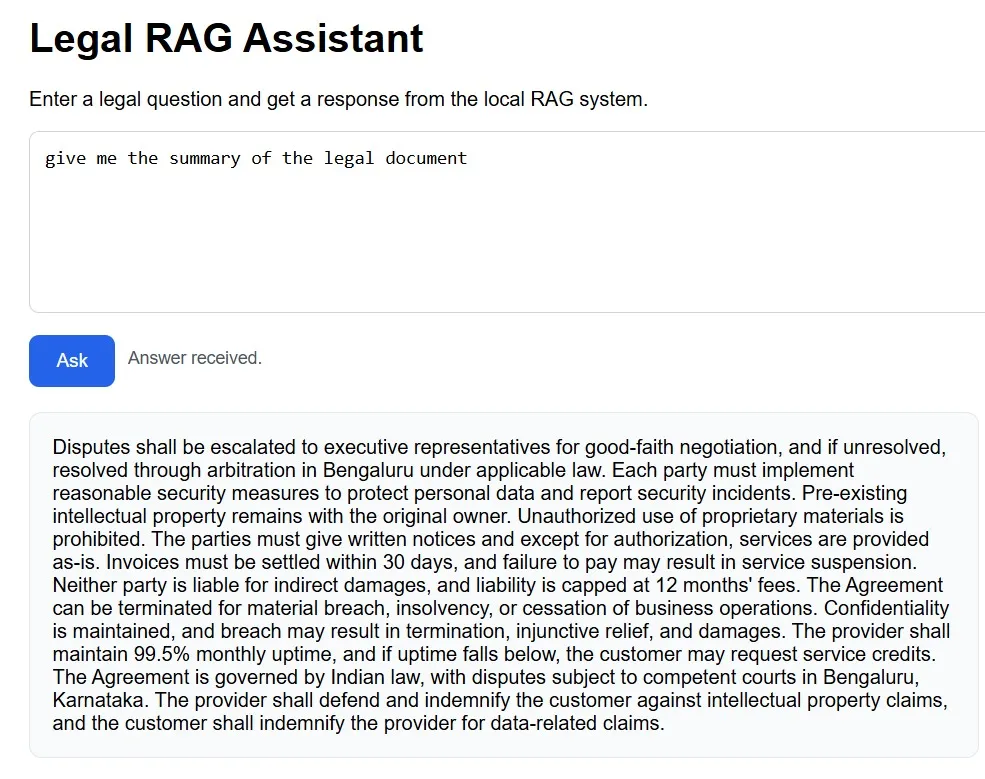
The system uses meta-llama/llama-3-8b-instruct via OpenRouter for response generation. Unlike traditional chatbots, it does not rely on its internal knowledge alone but strictly uses the retrieved context from the database. This approach minimizes hallucination and ensures that responses remain accurate and grounded in the provided data.
Vector Search
results = shard.query(
    QueryRequest(
        query=Query.Nearest(vector, using=VECTOR_NAME),
        limit=TOP_K,
        with_payload=True
    )
)
When a user enters a query, it is first converted into a vector using the same embedding model used during ingestion. Qdrant then performs a nearest-neighbor search in the vector space using cosine similarity, identifying the closest vectors that represent semantically similar document chunks. The TOP_K parameter ensures that only the most relevant results are retrieved, while with_payload=True allows access to the original text associated with each vector.
This transforms the system from a basic chatbot into a context-aware retrieval system capable of understanding intent rather than just matching words.
Prompt Engineering
PROMPT_TEMPLATE = """You are a legal assistant.
Use ONLY the provided context.
"""
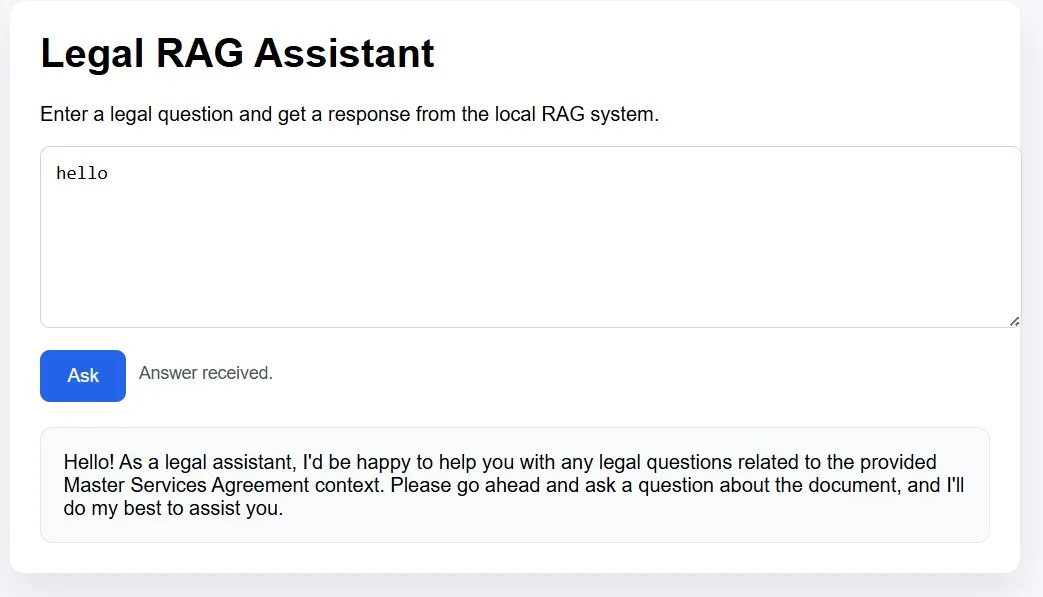
The prompt explicitly instructs the model to act as a legal assistant and restrict its responses to the retrieved context only. This prevents hallucination and ensures that the generated output is strictly based on the underlying documents. Additional instructions in the full prompt template guide the model on how to handle summaries, greetings, and unrelated queries, making the assistant more structured and predictable.
Answer Generation
response = client.chat.completions.create(
    model=OPENROUTER_MODEL,
    messages=messages
)
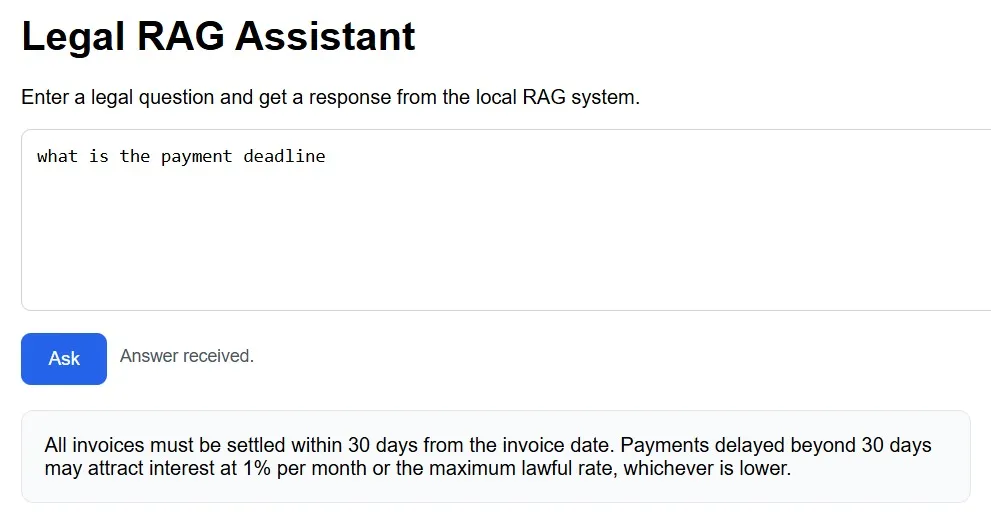
Once the relevant context is retrieved and structured into a prompt, the language model generates the final response. The LLM processes both the user query and the retrieved context together, allowing it to produce a coherent and meaningful answer. The retrieved context acts as a source of truth, while the LLM focuses on transforming that information into a clear and user-friendly response.
API Layer
@app.get("/ask", response_model=AskResponse)
def ask(q: str):
    return AskResponse(answer=rag(q))
By exposing the RAG pipeline through a simple REST endpoint, the system becomes easily accessible and integrable. When a request is sent to the /ask endpoint, the query is passed through the entire pipeline: embedding, retrieval, prompt construction, and answer generation. This abstraction allows the system to be seamlessly connected to web interfaces, mobile apps, or other services without modifying the core logic.
Summary
This project demonstrates how a complete retrieval-augmented AI assistant can be built without heavy cloud dependency by combining efficient local vector search with controlled language model generation. The core idea is straightforward yet powerful: convert documents into embeddings, retrieve the most relevant context using similarity search, and generate accurate responses grounded strictly in that context. This approach ensures faster performance, improved privacy, and greater reliability, especially for sensitive domains like legal or enterprise data. It also opens up opportunities to extend this system to various use cases such as internal knowledge bases, document assistants, or offline AI tools.

GitHub Project Link
The complete code, along with setup instructions and implementation details, is available on GitHub: AbhinayaPinreddy/qdrant_Edge_RAG
At Superteams.ai, we focus on building practical and scalable AI solutions tailored to real-world business needs. This project reflects that direction by showcasing how edge AI, vector search, and retrieval-based generation can be combined to create efficient, secure, and production-ready AI assistants.
-Feature-Image.CjBFdO7y_Z1bTNvg.webp)